Offline card payments: check limits and later-decline risk
An offline card payment can be stored for later processing without being approved by the card issuer at the time of sale. When the connection returns it may succeed, decline or expire. Check your provider's current device limits and decide how much unpaid-sale risk the business can accept before enabling the feature.
What you’ll get from this guide: Set an offline policy with explicit limits and a named person to check final results.
An offline card payment can be stored for later processing without being approved by the card issuer at the time of sale. When the connection returns it may succeed, decline or expire. Check your provider's current device limits and decide how much unpaid-sale risk the business can accept before enabling the feature.
Set the outage policy while the connection is working. Your device needs to support offline capture, and the business needs a plan for payments that later fail.
Read the status literally
 Open full-size illustration
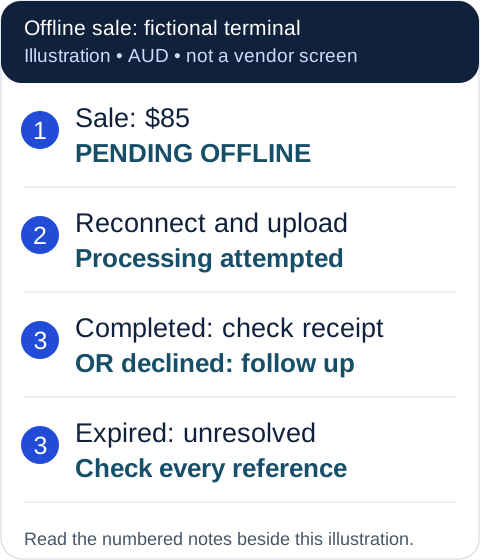
- An $85 fictional sale is stored with status Pending offline. The goods may already have left, but payment is not yet confirmed.
- Reconnection allows the provider to attempt processing. Keep the device and its pending records intact.
- Check each final result: completed, declined or expired. Resolve exceptions individually; do not charge every order again.
Original ASBG illustration with fictional data. This is a neutral example, not a provider screenshot. The numbered notes contain the same information as the image.
Write a simple rule for staff: offline status records an attempted payment that still needs follow-up. The owner should decide the transaction limit and which goods or services can be released under that policy. A low-value repeat purchase and an expensive one-off order may warrant different handling.
Check the provider's current conditions
Square's Australian offline-payment guidance currently excludes Afterpay, Square Gift Cards, Tap to Pay on phones and manually entered card numbers from its offline feature. It recommends uploading within 24 hours; its documented outer upload deadline is 72 hours from the session start. Some Reader and Stand configurations have a 24-hour acceptance session. Check the exact hardware section and displayed countdown for your setup.
Square also states that the seller bears the risk of expired, declined or disputed offline payments. These are Square conditions checked on 17 September 2026, not rules for another provider. Read the current terms when configuring your account.
Write the limit into your operating procedure
List the provider, hardware model, app, enabled methods and maximum amount the owner approves. Record who checks the offline setting after an update or device replacement. Prepare a fallback for a method that isn't supported rather than trying to force it through offline capture.
Estimate the exposure before a busy period. Twelve fictional $85 offline sales total $1,020 awaiting processing. If one later fails, $85 remains unresolved even though the other eleven settle. The amount of stock released matters alongside the transaction count.
Preserve pending transactions during recovery
Reconnect promptly and review every pending reference. Square warns that actions such as signing out, deleting the app, changing modes or locations, or factory-resetting hardware can lose pending payments. Don't follow a generic reset procedure while those records exist; check provider support first.
Make a recovery list with order reference, amount, original status and final outcome. Follow up a genuine failure using your ordinary customer contact and payment process. Do not ask for card details by email or copy them into an outage worksheet.
The payment outage checklist covers staff communication and recording alternatives. The POS trial checklist helps establish the exact setup, and the cash-flow guide helps distinguish takings from available funds.
Key takeaways
- A stored offline payment still needs a final processing result.
- Verify hardware, method, amount and time restrictions with your provider.
- Preserve pending records and resolve each outcome once after reconnection.
Your working checklist
Copy the template, save a text file for offline use, or print this page with its examples and sources. Fill in your own copy and check it before relying on it.
Provider, app and device model:
Offline enabled / scope / checked date:
Eligible methods and exclusions:
Maximum amount approved by owner:
Session and upload deadlines:
Staff instruction for pending payments:
Reconnection owner:
Completed / declined / expired reference log:
Where to get help
Did this guide help you finish your task?
Optional feedback helps us see which guides need more work.
Feedback is off while site analytics is unavailable or disabled.
We report your choice and this guide’s page through site analytics. Your analytics preference applies. About feedback and privacy.
Where to go from here
Payment outage checklist: record sales and recover once
Give staff a procedure for pending and interrupted payments.
3 min readChoose payment methods around how your customers buy
Choose the method and fallback around the sale.
3 min readPOS trial checklist: test awkward sales before committing
Explore a related question linked in this guide.
3 min read
General information only. This guide doesn't take your personal or business circumstances into account and isn't financial, legal or tax advice. Rates and thresholds change — check the official sources linked in this guide and get qualified advice where your circumstances require it.