Authorised, captured and settled: understand card payment statuses
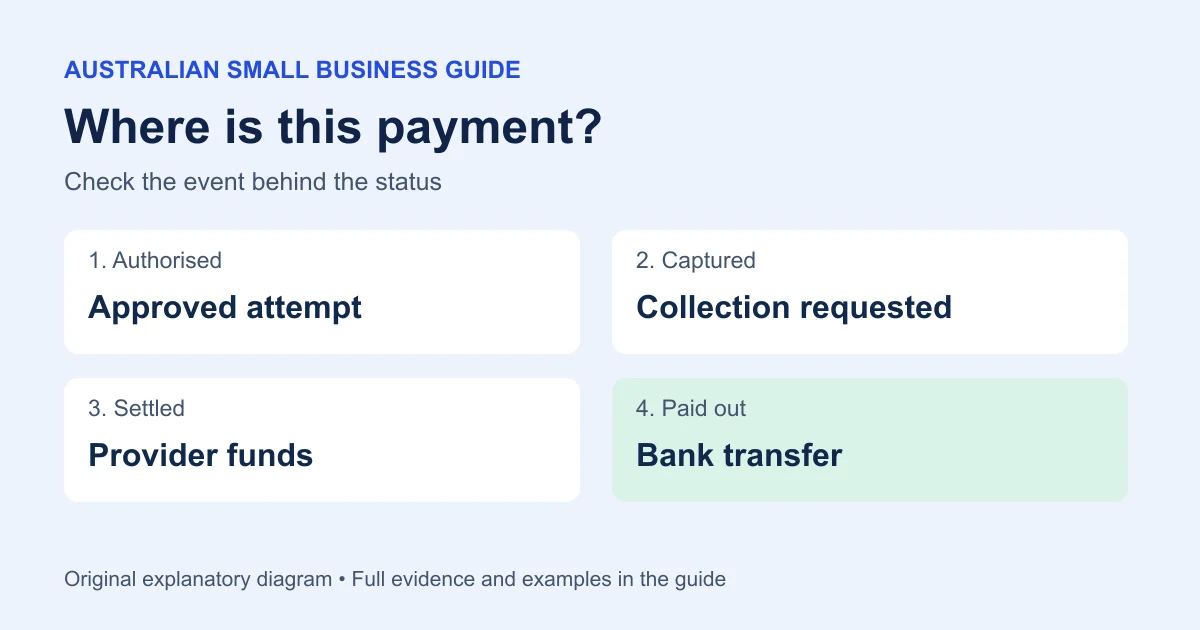
Authorisation is approval for a payment attempt; capture asks for the authorised amount to be collected. Settlement moves funds through the payment system, while payout is the provider's transfer to your business bank account. Providers use these labels differently, so check the event behind the word. A customer seeing a pending entry does not establish that your business received a completed payment.
What you’ll get from this guide: Read a payment status without confusing a customer hold with money received in the bank.
Authorisation is approval for a payment attempt; capture asks for the authorised amount to be collected. Settlement moves funds through the payment system, while payout is the provider's transfer to your business bank account. Providers use these labels differently, so check the event behind the word. A customer seeing a pending entry does not establish that your business received a completed payment.
Read the transaction history with your provider's definitions beside it. Capture deadlines and payment guarantees depend on the actual payment flow and terms.
Identify which record you are reading
A customer bank app, your checkout and the provider's transfer report describe different parts of the same transaction. Write the system beside the status. “Pending at the bank” and “pending payout” are different observations, even if both screens use the same word.
Stripe distinguishes capture from settlement in its explanation of card processing. Use your provider's transaction detail for the actual capture status and any expiry shown; card type and payment flow can affect the window.
Follow a fictional $120 payment
| Stage | Question answered | Evidence to retain |
|---|---|---|
| Authorisation for $120 | Was this attempt approved? | Authorisation result and payment ID |
| Capture for $120 | Was collection requested? | Capture result, amount and timestamp |
| Settlement | How did the provider account for the funds? | Provider balance or settlement event |
| Payout to bank | Which bank transfer includes the amount after adjustments? | Payout reference and matched bank entry |
Original ASBG worksheet with fictional AUD figures. The table is also the text equivalent of the example.
The table is a schematic, not a screenshot or a promise that each service displays four separate buttons. A standard card sale may authorise and capture together. A business that deliberately delays capture needs a process for checking the deadline and final outcome before treating the order as paid.
Check expiry, reversal and partial capture
An authorisation can end without becoming a completed collection. Record the cancellation or expiry event and ask the provider about any uncertainty before attempting another payment. If the captured amount is lower than the order total, keep the shortfall visible; do not close the order merely because the first attempt was approved.
For example, an order is $120 and the provider confirms a $90 capture. The unpaid order balance is $30 unless another successful tender covers it. A second $30 attempt must have its own result. The original $120 authorisation is not another $120 receipt to add to the books.
Explain a pending bank entry carefully
American Express Australia notes that duplicate pending entries may produce only one billed charge. Ask the customer whether both entries are pending or posted, then compare your own completed transaction identifiers. Use the duplicate-charge investigation when two entries appear and the declined-terminal checklist when the terminal result conflicts with the bank app.
Don't promise the time at which a bank will remove an authorisation. Give the customer the merchant result you can establish and a reference for their issuer if needed. Avoid collecting full card details in an email or support worksheet.
Make the next action match the event
For an unresolved capture, ask the provider about that payment ID. For captured money missing from a bank transfer, trace the payout instead of charging the customer again. Keep fulfilment decisions consistent with your payment workflow and the risk your business has agreed to accept.
The POS comparison can help you assess reporting during a trial. The payments hub links the practical investigations after you have identified the status.
Key takeaways
- Record which system uses the status label.
- Match the captured amount to the order balance.
- Trace the payout separately from the customer's authorisation.
Print or copy the evidence checklist
Copy the template, save a text file for offline use, or print this page with its examples and sources. Fill in your own copy and check it before relying on it.
Payment status record
Order reference:
Payment identifier:
Amount / currency:
Provider status and checked time:
Authorisation expiry if shown:
Capture event and amount:
Settlement / payout reference:
Bank receipt:
Unresolved question for provider:
Where to get help
Did this guide help you finish your task?
Optional feedback helps us see which guides need more work.
Feedback is off while site analytics is unavailable or disabled.
We report your choice and this guide’s page through site analytics. Your analytics preference applies. About feedback and privacy.
Where to go from here
Terminal said declined but the customer sees a debit
Check a declined attempt that still appears in the customer’s account.
3 min readPOS sales do not match the bank deposit: build a settlement bridge
Follow completed payments through to the net bank receipt.
3 min readOnline sale refunded in store: reconcile both systems
Continue the “keep the order and payment together” reading sequence.
3 min read
General information only. This guide doesn't take your personal or business circumstances into account and isn't financial, legal or tax advice. Rates and thresholds change — check the official sources linked in this guide and get qualified advice where your circumstances require it.