Split-tender payments: reconcile one sale paid several ways
A split-tender sale has one sales total and more than one payment allocation. Record each successful tender against the same sale, check that the remaining balance is zero and reconcile each method to its own report. Two payment lines should not become two full sales in your books.
What you’ll get from this guide: Close one sale with a checked allocation for each successful payment.
A split-tender sale has one sales total and more than one payment allocation. Record each successful tender against the same sale, check that the remaining balance is zero and reconcile each method to its own report. Two payment lines should not become two full sales in your books.
Start with a customer paying partly in cash and partly by card. Gift cards and other stored value need separate provider and tax checks, so the worked example stays with cash and card.
Follow the balance as each tender is accepted
 Open full-size illustration
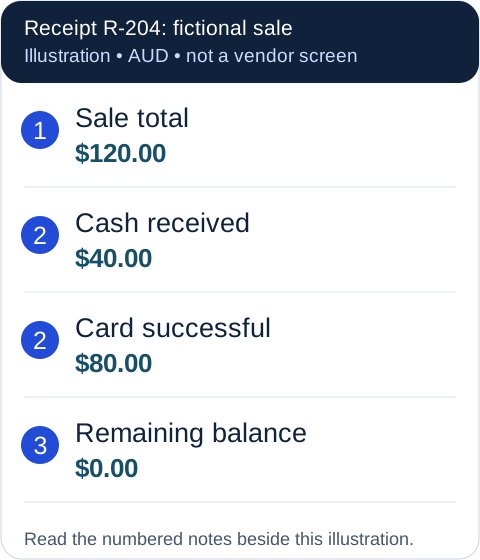
- Sale R-204 totals $120. The line is the sale once, regardless of the number of payment methods.
- Cash of $40 and a successful card payment of $80 settle the $120 total. The remaining amount is $0.
- Put $40 into the cash-drawer sales total and $80 into the card report. Link both to R-204; neither creates a second $120 sale.
Original ASBG illustration with fictional data. This is a neutral example, not a provider screenshot. The numbered notes contain the same information as the image.
If the card payment fails, the record isn't complete merely because the cash was counted. The remaining $80 needs a supported completion or cancellation process. Check the whole transaction's status before taking an alternative payment, because systems differ in how they handle an unfinished split.
Confirm the actual product limitation
Square's Australian support page says a split must cover the full balance and warns of a five-minute timeout. It also identifies a restriction when Square Terminal is connected to Square Point of Sale and one part is paid by card. Confirm your exact hardware arrangement instead of assuming a split feature applies everywhere.
Ask the provider to show the workflow in an approved demonstration. Record how to recover an incomplete sale and what the customer may see for an earlier card attempt. A pending card entry is not enough to decide that another full payment should be taken.
Reconcile the two reports
Keep one order or receipt reference attached to both allocations. The day's cash report receives $40 from R-204; the card report receives $80 before any processing-fee deductions. A later net card payout may therefore be smaller than $80 without changing the original sales amount.
At closing, match the cash allocation through the cash-drawer worksheet and the card allocation through the relevant payment report. If your accounting integration creates a sales entry, check whether the imported bank receipt is matching that existing entry rather than creating another sale.
Treat a refund as its own checked workflow
For a fictional $30 partial return, locate R-204 and identify the original items and tenders. Ask which tender the provider supports for that refund, what permissions are needed and how the result links back to the sale. Don't assume a customer preference or the original 40:80 split determines the permitted refund allocation.
Keep the refund reference and check the cash/card reports afterwards. The workflow check doesn't decide the customer's underlying refund entitlement; use the consumer guarantees guide for that separate question.
Add split payments and a partial return to your POS trial scorecard. For uncertain payment results during an outage, follow the recovery log before another attempt.
Key takeaways
- Keep one sale with separate successful payment allocations.
- Confirm the remaining balance and overall status before completing it.
- Test unfinished splits and refunds on the actual supported setup.
Your working checklist
Copy the template, save a text file for offline use, or print this page with its examples and sources. Fill in your own copy and check it before relying on it.
Sale ID / total:
Cash allocated:
Card allocated and transaction reference:
Other tender (only if supported):
Remaining balance:
Final status:
Cash-drawer / card-report match:
Refund approval and allocation reference:
Where to get help
Did this guide help you finish your task?
Optional feedback helps us see which guides need more work.
Feedback is off while site analytics is unavailable or disabled.
We report your choice and this guide’s page through site analytics. Your analytics preference applies. About feedback and privacy.
Where to go from here
Cash drawer reconciliation: explain the closing difference
Reconcile the physical drawer and explain the difference.
3 min readPOS trial checklist: test awkward sales before committing
Test the exact product and hardware before committing.
3 min readRefunds and Consumer Guarantees: What Small Businesses Must Do
Explore a related question linked in this guide.
12 min read
General information only. This guide doesn't take your personal or business circumstances into account and isn't financial, legal or tax advice. Rates and thresholds change — check the official sources linked in this guide and get qualified advice where your circumstances require it.