Cashflow Manager Gold: Features, Screens and Daily Use
Cashflow Manager uses a cashbook-style approach to recording money in and money out. Gold brings together that bookkeeping workflow with invoicing, supplier records, inventory and employee payroll. It is a Windows application, so the device and file-sharing arrangement deserve attention alongside the accounting features.
This guide centres on Gold. The simpler Cashflow Manager product has a different feature set, particularly for purchasing, physical inventory and payroll. Read the exact product name on the quote and any support article you follow.
Price, commitment and Windows requirements
The Gold product page lists $51 per month with a minimum 12-month term, or $553 annually. Optional bank feeds add $5 a month. Confirm current pricing, tax presentation and the total commitment before ordering.
Monthly payments therefore do not mean a month-to-month commitment. At the listed price, twelve $51 payments total $612 before any additional services. The $553 annual option is a different billing choice; compare the full arrangement rather than just the first payment.
The vendor currently specifies Windows 11 and says Mac use requires additional software. Test the actual computer setup rather than assuming a Mac browser can replace the installed application. One business is covered by each subscription, so check the cost if you maintain several entities.
Money in and money out
The cashbook records receipts and payments in categories that feed later reporting. A familiar grid can make entry easier to follow, but the categories still need to reflect the transaction correctly. An owner contribution, loan receipt and customer payment are all money coming in, with different accounting meanings.
Enter a small, clearly identified test period first. Check the dates, amounts and categories against the statement. Include a transfer between accounts so you can see how the workflow avoids turning a transfer into income in one place and an expense in another.
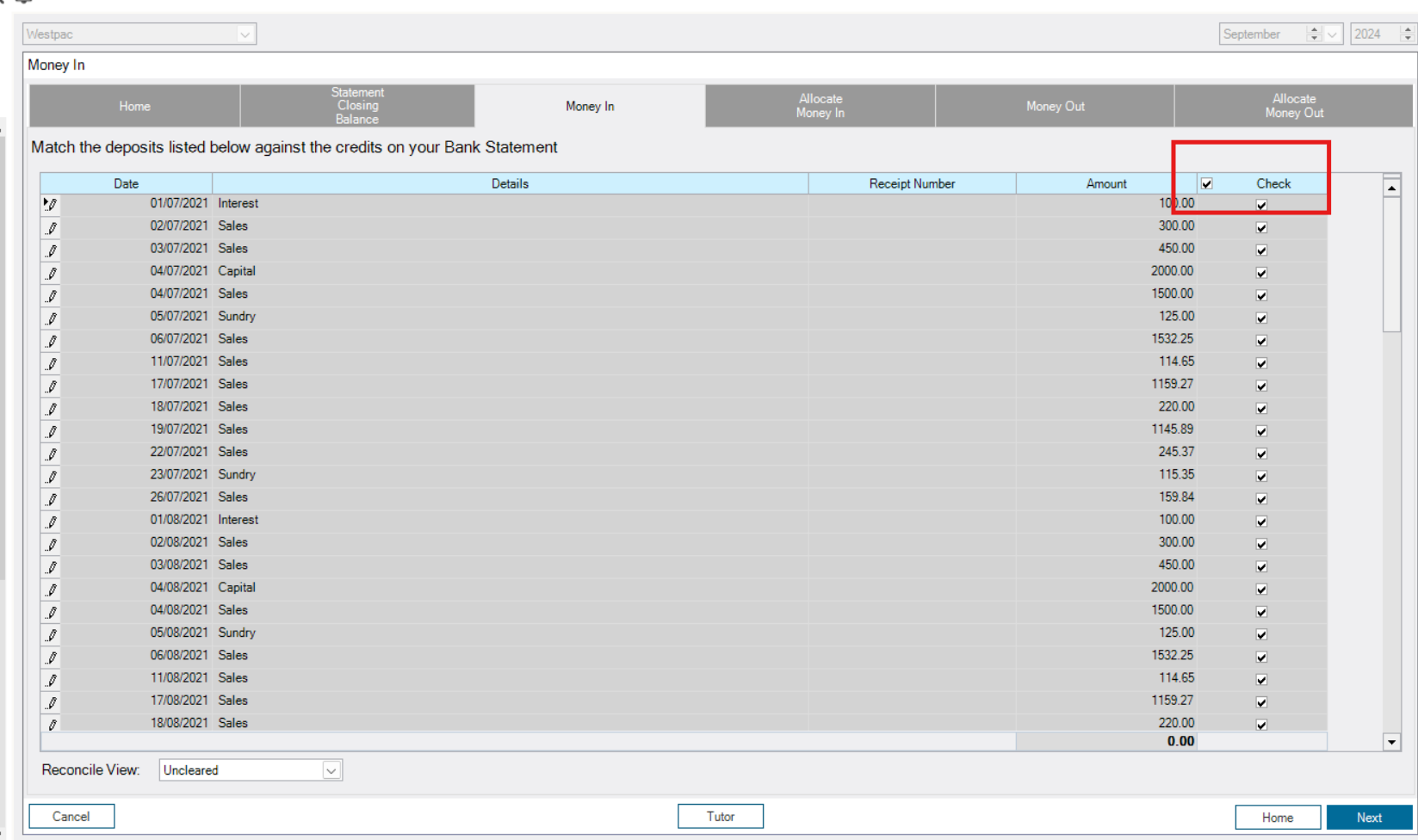
If you handle cash as well as bank payments, reconcile the cash record with the money actually held. The vendor's cash reconciliation instructions describe that check. Investigate differences before recording an adjustment; an unexplained balancing entry does not identify what went wrong.
Invoicing and customer balances
An invoice can use items already set up or directly entered descriptions. Customer records and balances help track what remains unpaid. Test the receipt against the invoice so that payment does not become a duplicate sale in the cashbook.
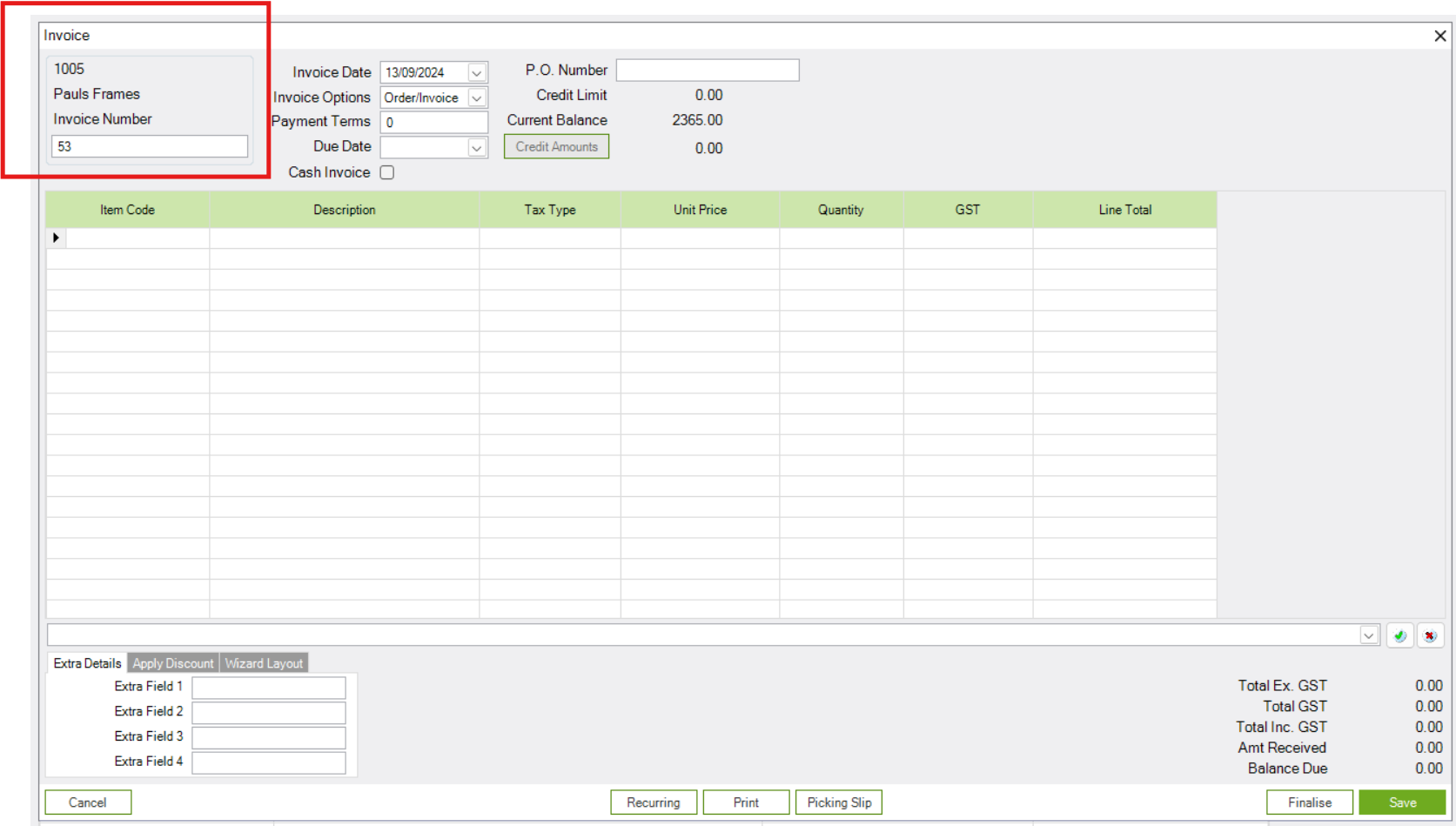
A particularly useful detail in the customer-invoice instructions is that selecting inventory items matters. Merely typing a description does not necessarily drive the inventory and management-report behaviour associated with an item record.
For an illustrative repair business selling parts, select the recorded part, create the invoice, receive a part payment and inspect both stock and the customer balance. Then try a credit or return. That sequence shows whether staff can use the workflow consistently when the transaction is not perfect.
Inventory and supplier records
Gold adds physical inventory tracking for items bought and sold. The vendor documents supplier and category information, buy/sell items, reorder levels and quantities, and on-hand values. Both product editions can maintain sell items for invoicing, but that is not the same scope as Gold's stock tracking.
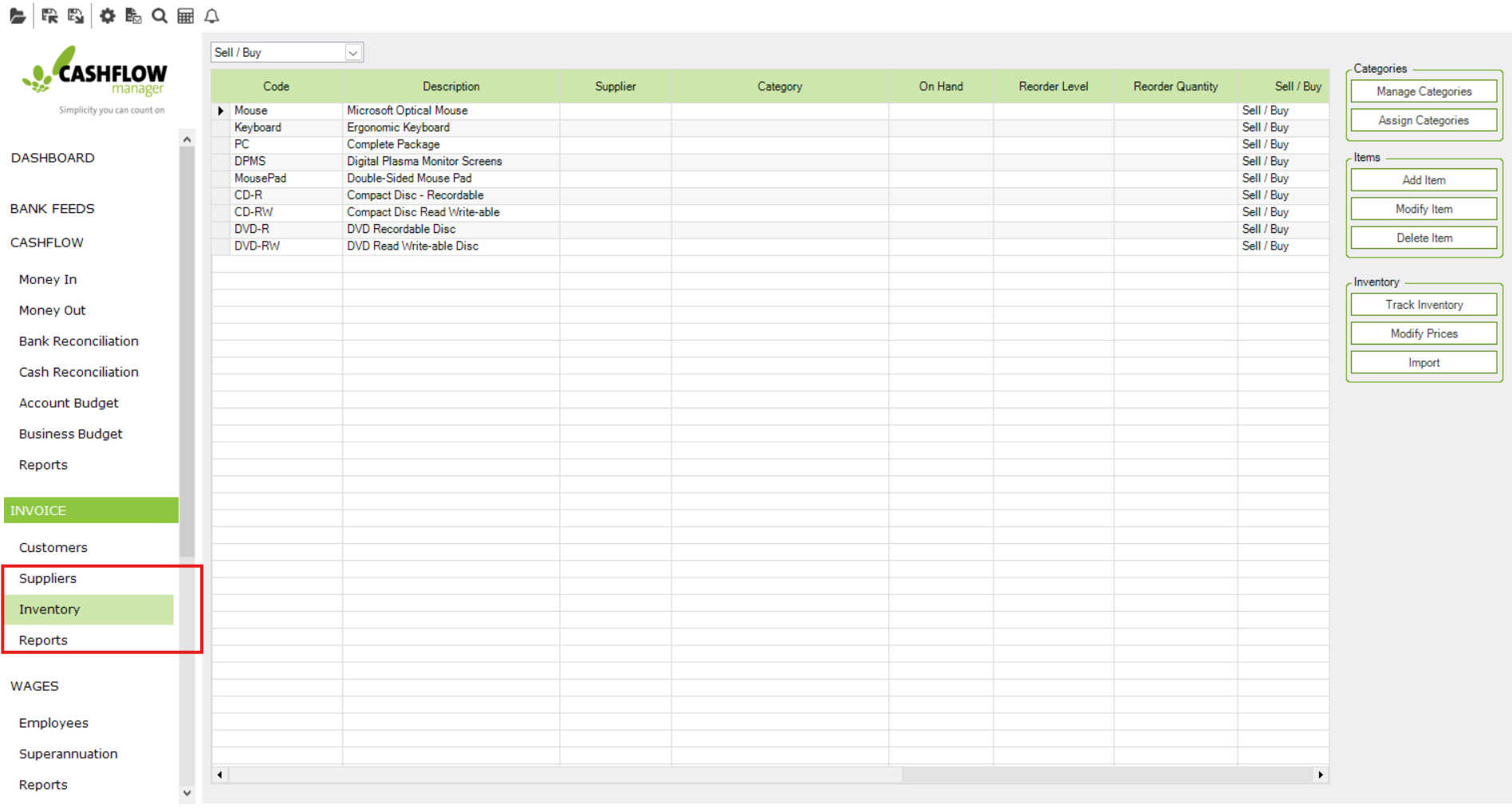
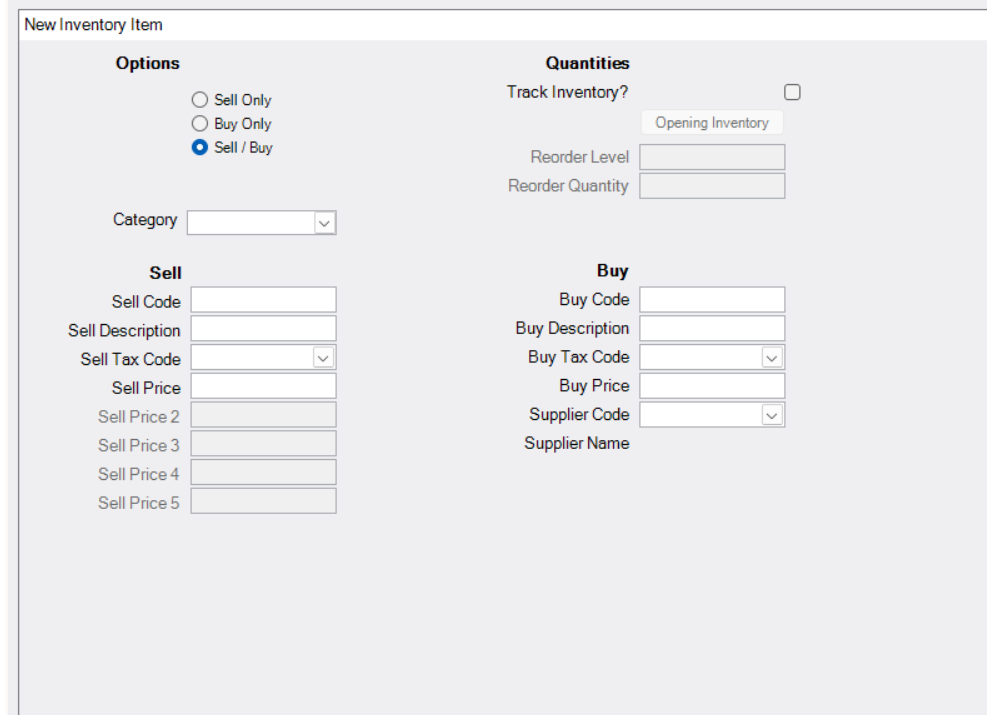
See the inventory setup guide. It explains why item setup affects later transactions and reports. Decide which items are bought, sold or both, then test the way quantities change as purchases and sales are entered.
Use a receipt of stock, two sales and one damaged return. Check quantity and value, then inspect the supplier balance. If your business needs multiple warehouses, serial numbers or manufacturing, ask the vendor to demonstrate those exact requirements instead of interpreting "track inventory" broadly.
Bank feeds and avoiding duplicate entries
The optional feed imports bank transactions. It should be evaluated separately from the base subscription and from the reconciliation process. Check your institution, account type and the history available when connecting.
If the same receipt has already been recorded through an invoice, an imported bank line must be handled without creating another sale. Likewise, a payment for a supplier record should not become a second expense. Run those cases through the trial and ask support to explain the correct workflow.
A feed interruption also needs a routine. Decide who checks for missing dates and how a manual import will be handled without overlapping transactions already received. Our bank-feed guide helps compare that work across products.
Payroll and Single Touch Payroll
Gold's advertised offering includes unlimited employees and STP reporting through SuperChoice. Confirm the onboarding and reporting arrangement, plus any service conditions, before the first live pay run. "Unlimited employees" does not tell you whether a particular award interpretation, rostering or approval requirement is included.
Have the payroll setup reviewed for the business's actual employees. Test ordinary pay, leave and the allowances or overtime that apply. Check the pay records, reporting result and bank payment as separate steps, especially during a move from another system.
The vendor's user guide is useful for understanding the workflow, but its version and screenshots may be older than the current release. Use it for orientation and confirm current screens and reporting steps with support. Do not carry historical rates or sample values into live payroll.
Reports, BAS and year-end handover
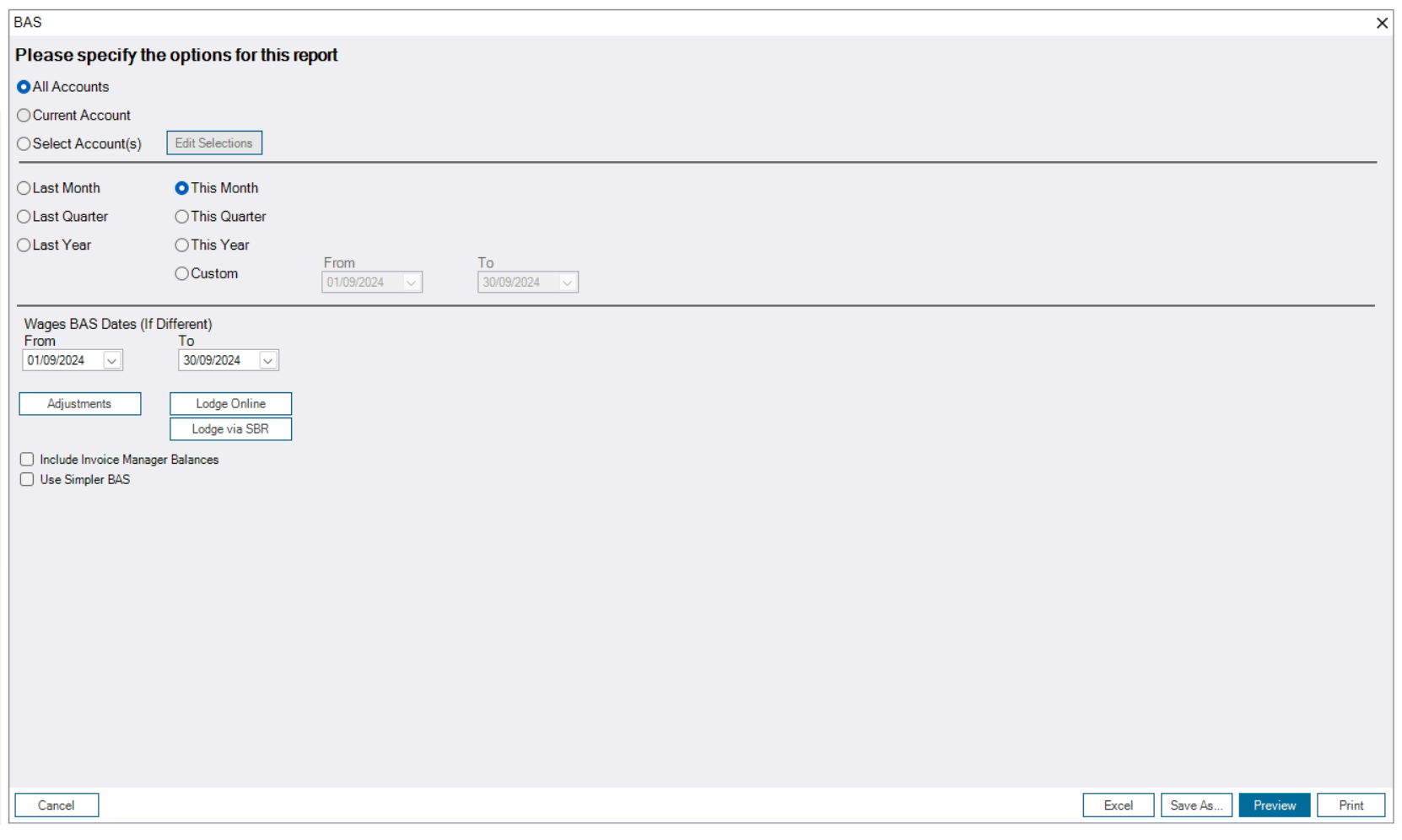
Cashflow Manager advertises profit and loss, cash-flow and monthly-summary reports, alongside BAS-related reporting. Agree which reports the adviser will review and how the BAS will be lodged. Producing a report does not itself confirm submission or acceptance.
Check whether the records contain all the information needed for a complete set of accounts. A cashbook can make receipts and payments visible while additional work is still needed for unpaid items, assets, loans and other adjustments. Gold includes asset and loan management features, but the accounting treatment still needs to be established.
Trace one report amount back to its entries. This is also a training check: the person keeping the records should be able to explain why the amount appears, not just print the report.
Backups, support and the working file
The vendor advertises Adelaide-based phone, email and webchat support. Confirm the current support arrangement and use the trial to ask about your difficult transactions, not merely installation.
Agree which file is active and how the bookkeeper accesses it. If copies move between people, document how corrections return to the current books. Make a backup and restore it in a test location; inspect the business name, latest transactions and reports after restoration.
A Windows workflow may suit a business that already has that equipment and a clear handover process. If several people need to work remotely at the same time, compare the access arrangement with a cloud product. Include hardware, IT support and file administration in the cost.
Key takeaways
- Gold combines cashbook, invoicing, stock and payroll features, with Windows requirements.
- The monthly price has a 12-month minimum; bank feeds cost extra.
- Correct item selection, reconciliation and tested backups matter as much as the feature list.
Where to get help
Ask support to demonstrate a complete receipt, payment and stock transaction. Use the trial worksheet, then compare Gold with AccountRight or Manager in the accounting software selector.
Did this guide help you finish your task?
Optional feedback helps us see which guides need more work.
Feedback is off while site analytics is unavailable or disabled.
We report your choice and this guide’s page through site analytics. Your analytics preference applies. About feedback and privacy.
Where to go from here
Accounting Software Trial Checklist: Test Before You Buy
Test the workflow with your own requirements before buying.
3 min readSwitch Accounting Software: An Australian Business Checklist
Plan the records and checks needed for a live migration.
4 min readAccounting Bank Feeds: Coverage, Imports and Reconciliation
Explore a related question linked in this guide.
3 min read
General information only. This guide doesn't take your personal or business circumstances into account and isn't financial, legal or tax advice. Rates and thresholds change — check the official sources linked in this guide and get qualified advice where your circumstances require it.