Rounded Australia: Invoices, Time, Expenses and BAS
Rounded is built around the work of an Australian sole trader: quote a job, record time, invoice the client, keep receipts and understand income and expenses. That narrower focus can suit a consultant, freelancer or other owner selling their own services. It should not be assessed as though it were a warehouse system or a complete employee-payroll platform.
The main buying decision is Starter versus Pro. The plans share the core client-billing workflow, but GST needs and automatic bank feeds can make Pro the relevant comparison from the outset.
Starter and Pro, including annual billing
Prices on Rounded's plan page, checked on 12 September 2026:
| Plan | Monthly billing | Annual billing | What changes the decision |
|---|---|---|---|
| Starter | $23.95/month | $264.95/year | Quotes, invoices, reminders and built-in time tracking. |
| Pro | $29.95/month | $329.95/year | Adds bank and Stripe feeds, GST tracking and BAS-related functions. |
Check the checkout's tax presentation and any payment-processing charges. The annual amount is paid on an annual arrangement; it is not simply a discounted month that you can compare without considering the commitment.
A non-GST-registered freelancer happy to record transactions manually may find Starter sufficient. If you need automatic bank imports or GST records, compare Pro with the complete price of alternatives. Choosing Starter because it is cheaper achieves little if it omits the function you opened the account to use.
From a quote to a paid invoice
Rounded keeps client details, quotes and invoices together. You can customise invoices, set payment terms and follow unpaid work. Reminders support routine follow-up, while available online payment methods make it easier for a client to pay from the invoice.
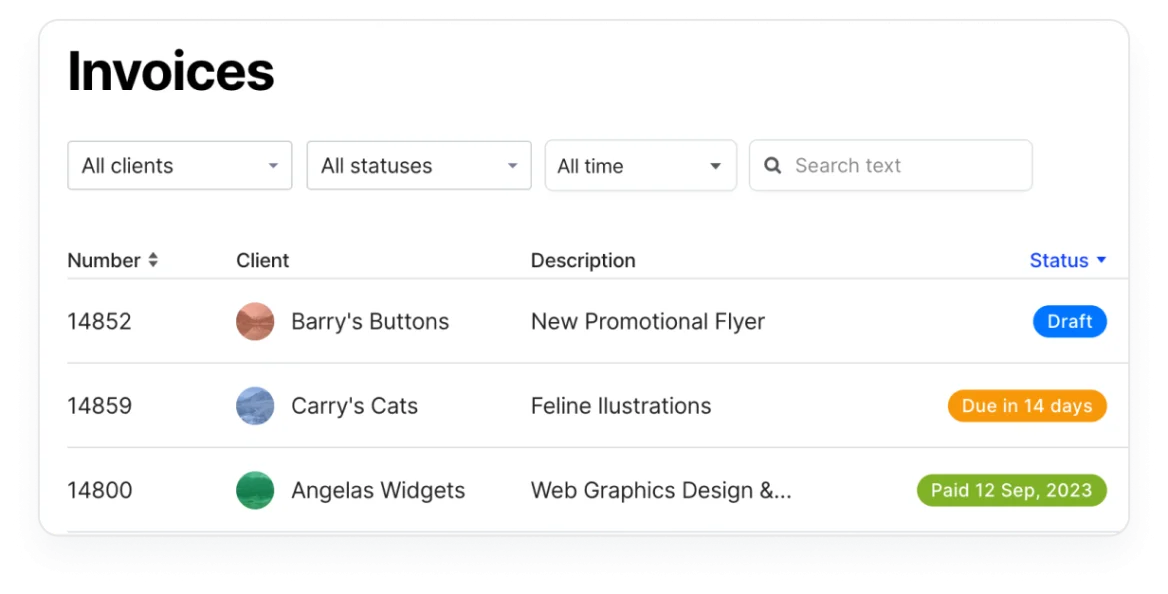
The invoicing feature page explains the workflow. Start your trial with a job that changes: the client accepts the quote, requests an extra task and pays in two parts. Check how you represent the extra work and what appears on the final invoice.
A client portal or attractive invoice does not settle disagreements about scope. Keep the agreed work and payment terms clear, then use the software to record what actually happened. Check a credit and a refund as well as a successful payment.
Time tracking without a separate spreadsheet
Time tracking is included in the core offer. Rounded can link recorded hours to client billing and produce timesheet information. Its feature overview describes time, recurring expenses and costs you intend to charge back to clients.
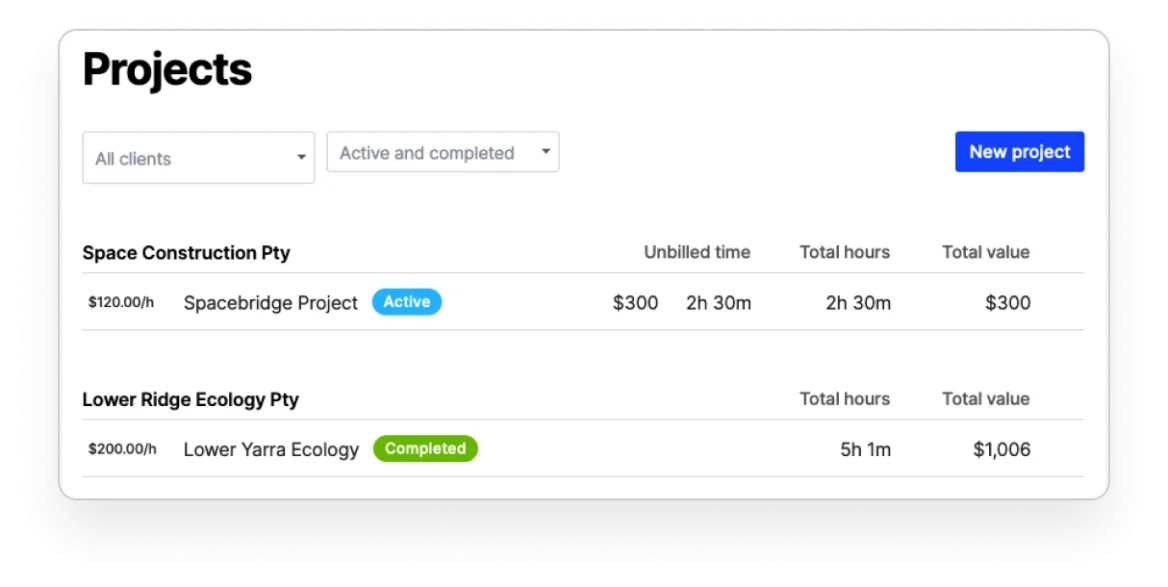
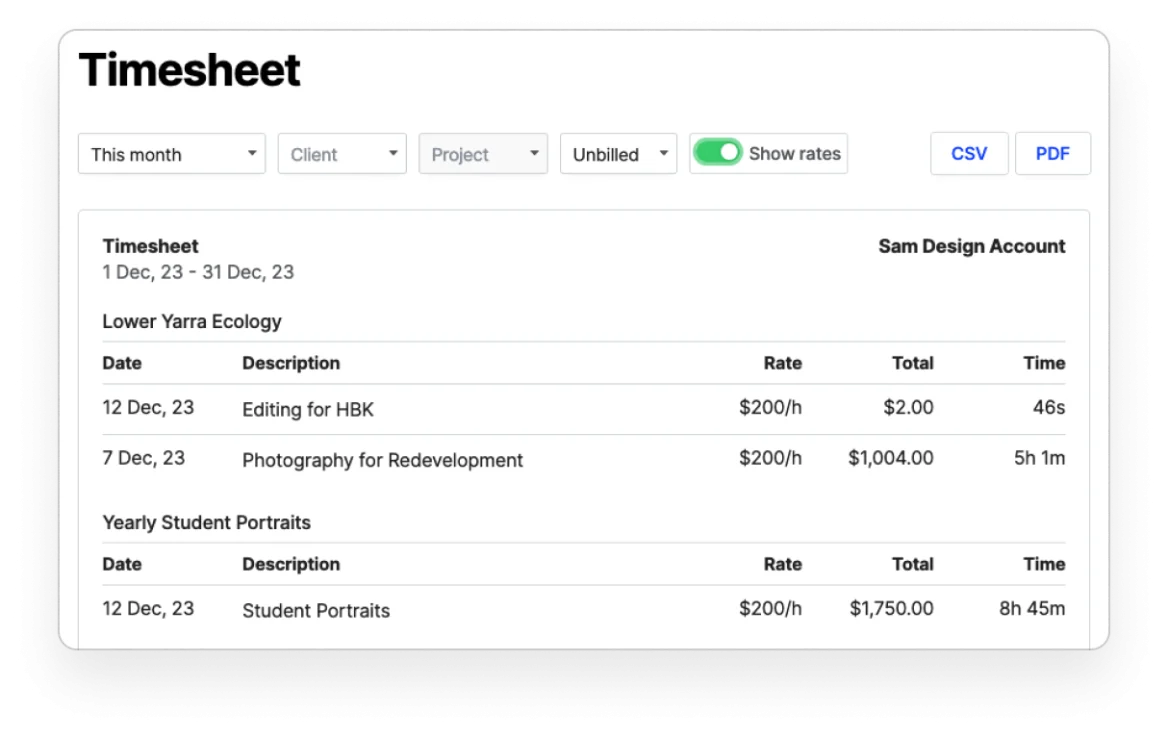
Hourly work is the obvious use, but fixed-fee work can benefit too. If a writing assignment is priced at a set amount, tracking research and revision time helps you judge the next quote. Marking time as non-billable should not make it disappear from your assessment of how much work the job consumed.
Try moving a recorded time entry into an invoice, then correcting the entry. Check which record changes and whether an already issued invoice remains understandable. You want a reliable billing process, not a second version of the hours that has to be reconciled by memory.
Expenses, receipts and costs passed to clients
Rounded records expenses and lets you keep receipts alongside them. Mobile capture is useful when the document would otherwise stay in a pocket or inbox. Recurring expenses reduce repeated entry, and client-linked costs can be brought into billing.
Distinguish the business's own expense from an amount you will charge a client. For example, travel paid for a specific job may need to appear on the client's bill, but its treatment depends on the agreement and the accounting setup. Ask the adviser to check that process rather than merely adding the same amount to two screens.
Receipt storage also needs a routine. Check that the image is legible, the date and supplier match the entry, and the reviewer can retrieve it later. Capturing a receipt does not decide whether the expense is deductible.
Bank feeds and Open Banking
Pro's feed connects bank or credit-card accounts so transactions can be reviewed in Rounded. Current connection instructions describe Open Banking and the consent/setup process. Availability depends on the actual financial institution and account.
Check the date range imported during setup. Bringing in history that overlaps records already entered can create duplicates. Also test a transfer between your own accounts and a payout that combines several customer payments and fees.
A feed gives you data to work with; it does not establish that every entry belongs in income or expenses. A loan receipt, owner contribution and customer payment can all arrive as money in, while requiring different treatment.
GST, BAS and the tax estimate
Pro supports GST tracking and the preparation of BAS figures. Rounded's report documentation explicitly says BAS lodgement still needs to be completed through the ATO. Marking an activity statement complete in Rounded is not proof of external acceptance.
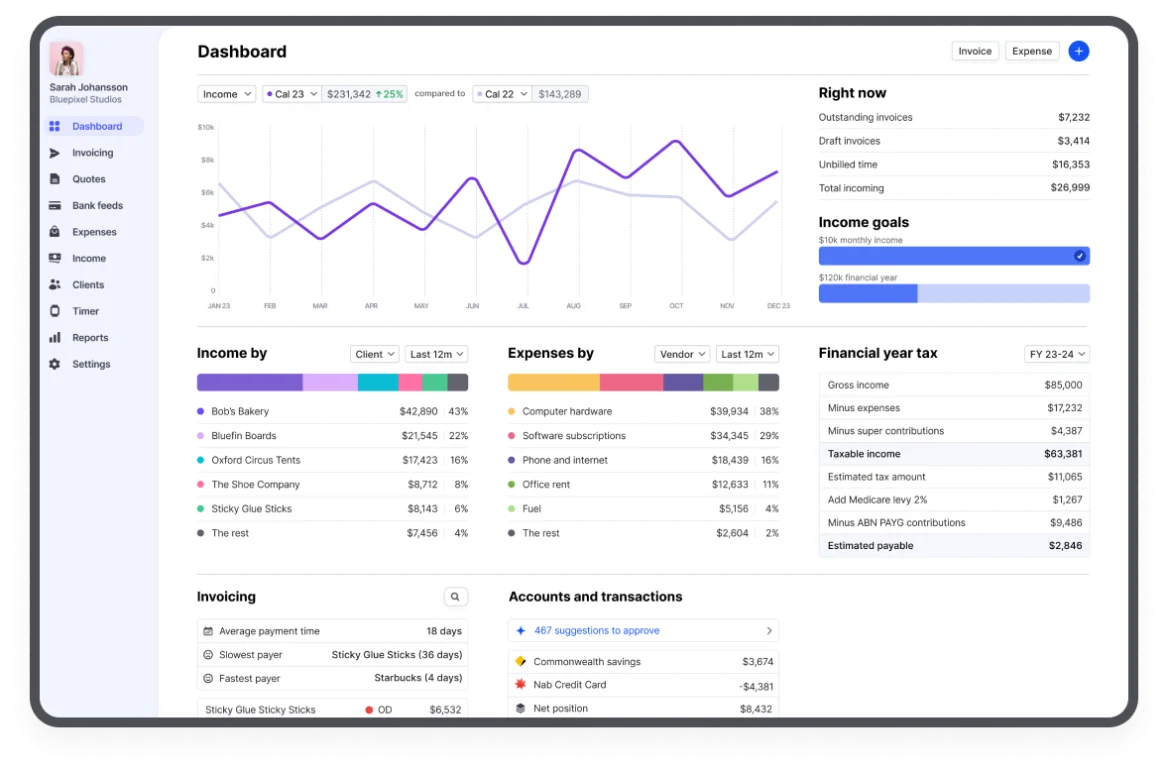
Rounded also offers an estimated tax view based on recorded information. Its tax feature explanation describes the inputs it considers. Use the estimate for planning, with your adviser checking circumstances the business records may not fully capture. Do not assume an on-screen estimate is a final assessment of all your personal tax affairs.
Before relying on the BAS figures, review GST registration settings, income, expenses and corrections. The useful question is whether the records and report agree with the business's transactions, not whether the report appears quickly.
Reports and working with an accountant
Rounded's documented reports include income, expenses, profit and loss, timesheets and activity statements. These help an owner see whether more work is turning into more income and whether costs are rising. Timesheet reports can distinguish billed from unbilled work, which is useful when overdue administration is hiding work you have not invoiced.
Share access with the intended accountant during the trial and ask them to retrieve what they need. If they require a fuller balance-sheet, inventory or multi-entity workflow than this product provides, establish that before migrating. Do not assume every accountant wants the same software or offers the same service.
Keep a plan for exports and retained receipts. Moving to a broader package later may involve more than copying a list of customers and invoice totals. Our switching checklist helps define the records to carry across.
When Rounded is the wrong shortlist
A business with warehouse stock, complex purchasing, several entities or employee payroll should assess those requirements directly. Rounded's sole-trader focus is useful when it matches the business; it is not a reason to stretch it around processes it was not selected to handle.
If you intend to hire, price the separate payroll arrangement and the accounting handover. If you sell physical goods, demonstrate the stock workflow instead of assuming an invoice item list tracks quantities and value.
Key takeaways
- Starter covers the central billing/time workflow; Pro matters for feeds and GST.
- BAS figures and tax estimates still need review, and BAS submission is a separate step.
- Evaluate Rounded around a sole trader's work, then check any payroll or stock requirements separately.
Where to get help
Compare Rounded with Xero, work through the sole-trader selection guide, or use the comparison tool to shortlist a broader product.
Did this guide help you finish your task?
Optional feedback helps us see which guides need more work.
Feedback is off while site analytics is unavailable or disabled.
We report your choice and this guide’s page through site analytics. Your analytics preference applies. About feedback and privacy.
Where to go from here
Xero vs Rounded: A Practical Choice for Australian Sole Traders
Compare the practical tradeoffs against another product on your shortlist.
3 min readAccounting Software Trial Checklist: Test Before You Buy
Test the workflow with your own requirements before buying.
3 min readSwitch Accounting Software: An Australian Business Checklist
Plan the records and checks needed for a live migration.
4 min read
General information only. This guide doesn't take your personal or business circumstances into account and isn't financial, legal or tax advice. Rates and thresholds change — check the official sources linked in this guide and get qualified advice where your circumstances require it.