Zoho Books Australia: Features, Free Plan and Daily Use
Zoho Books is an online accounting system for invoices, bills, bank records, reports and related business workflows. It is particularly worth examining if you already use Zoho applications, but the Australian edition can also stand on its own. A free plan is available for eligible small businesses; more involved work sits in the paid tiers.
The appeal of a broad suite comes with a practical question: which application owns each part of the process? Books, CRM, Inventory, Expense and Projects are product names, not interchangeable descriptions of one subscription. Establish what is included before building a workflow around several of them.
Free and paid plans: start with the limits
Zoho's Australian pricing page, checked on 12 September 2026, lists the following. Annual figures below are monthly equivalents billed annually, not month-to-month subscriptions.
| Plan | Monthly billing | Monthly equivalent, annual billing | Included users |
|---|---|---|---|
| Free | $0 | $0 | One user and one accountant |
| Standard | A$19.80 | A$16.50 | 3 |
| Professional | A$39.60 | A$33 | 5 |
| Premium | A$59.40 | A$44 | 10 |
| Elite | A$220 | A$181.50 | 10 |
| Ultimate | A$385 | A$319 | 15 |
Free is for businesses with annual revenue below A$50,000 and has a 1,000-invoice annual limit. It is not an unrestricted free replacement for any business. Automatic bank feeds and other capabilities differ by tier; establish the necessary plan using the Australian feature matrix. Confirm tax presentation and the actual order total at checkout.
Zoho lets you explore paid plans during a trial. Check what happens when the trial ends, particularly if you intend to remain on Free. A function you used successfully during a paid-plan trial may not belong to the free subscription. See the plan help page.
Quotes, invoices and the customer portal
Zoho Books follows customer work from a quote to an invoice, with payment records explaining what is still owed. The customer portal gives clients a place to see their transactions rather than relying entirely on email attachments. Recurring invoices and reminders support repeat work.
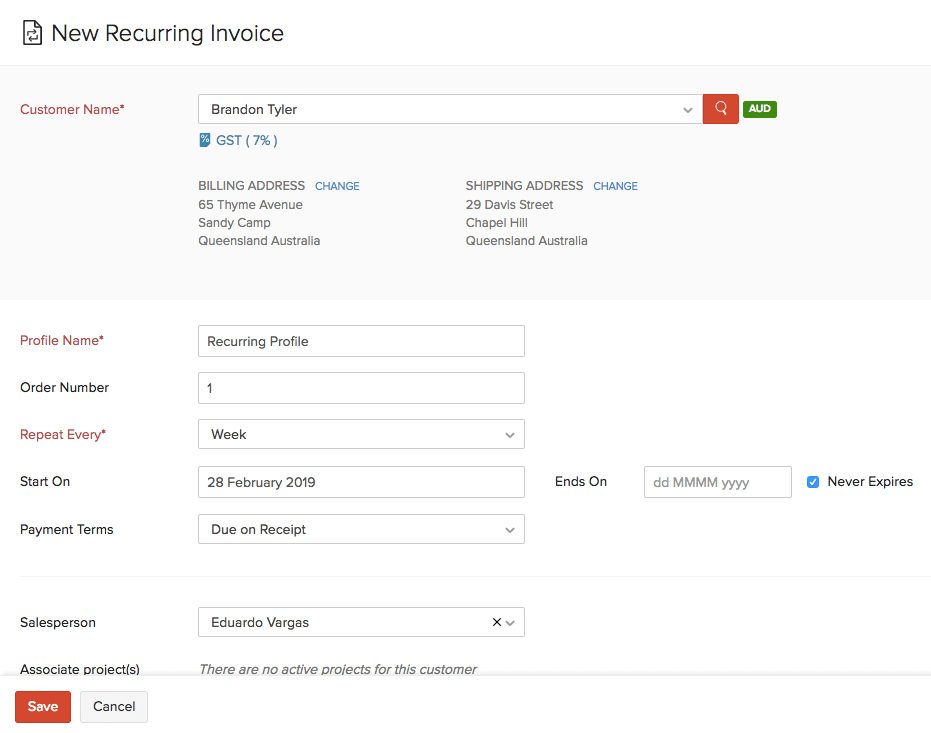
For a service business, test a quote with two stages, an upfront payment and a final invoice. Check how the customer sees the balance, whether the upfront amount has been applied correctly and what happens if you credit part of the work. If you accept online payment, compare processing fees and the supported Australian payment service separately from the accounting price.
The Zoho Books feature directory describes invoicing, portals, expenses and document handling. Portals are useful only if the people using them understand which records are final and whom to contact about a correction.
Bills, purchase orders and expenses
Purchase orders describe what you intend to buy. Bills record what the supplier says you owe. Expenses and payments record other spending and settlement. Maintaining those distinctions helps avoid counting a purchase twice or treating an unreceived order as if it were complete.
Zoho Books supports purchasing and payables workflows, with availability and limits tied to the plan. Keep the supplier document attached to the relevant record where possible. A document library is useful for review, but the attachment still has to match the amount, supplier and transaction entered.
Consider an illustrative monthly routine: a contractor receives materials on credit, pays half the bill, then returns an unused item. Inspect the bill, remaining payable and supplier credit together. If the workflow is cumbersome in a trial, it will not become simpler during a busy month-end.
Bank imports, feeds and reconciliation
The Free plan's manual statement-import route differs from automatic feeds in paid plans. Either way, imported activity must be matched or categorised correctly. Bank rules help with repetition, but a rule written too broadly can classify an owner's transfer as trading income.
Zoho's Australian product overview describes importing bank activity, rules and reconciliation. Ask about your actual institution and account type rather than assuming that a listed banking feature covers every Australian account.
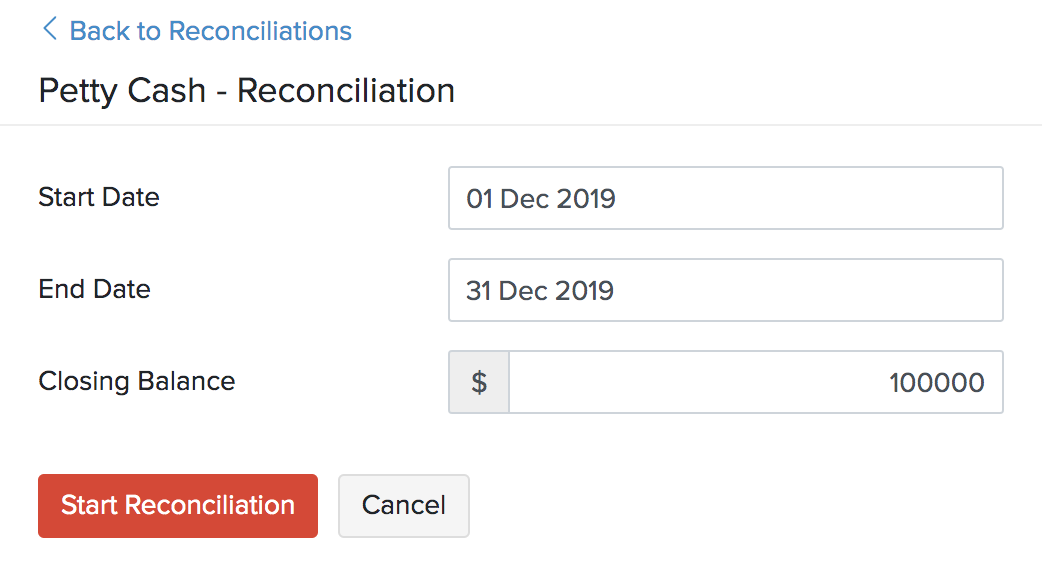
Try three awkward entries: an internal transfer, a payment covering several invoices and a refund after the original payment was reconciled. Confirm the statement's closing balance and preserve the supporting explanation for any adjustment. That is a more useful test than whether the software can automatically fill a category field.
What the dashboard and reports tell you
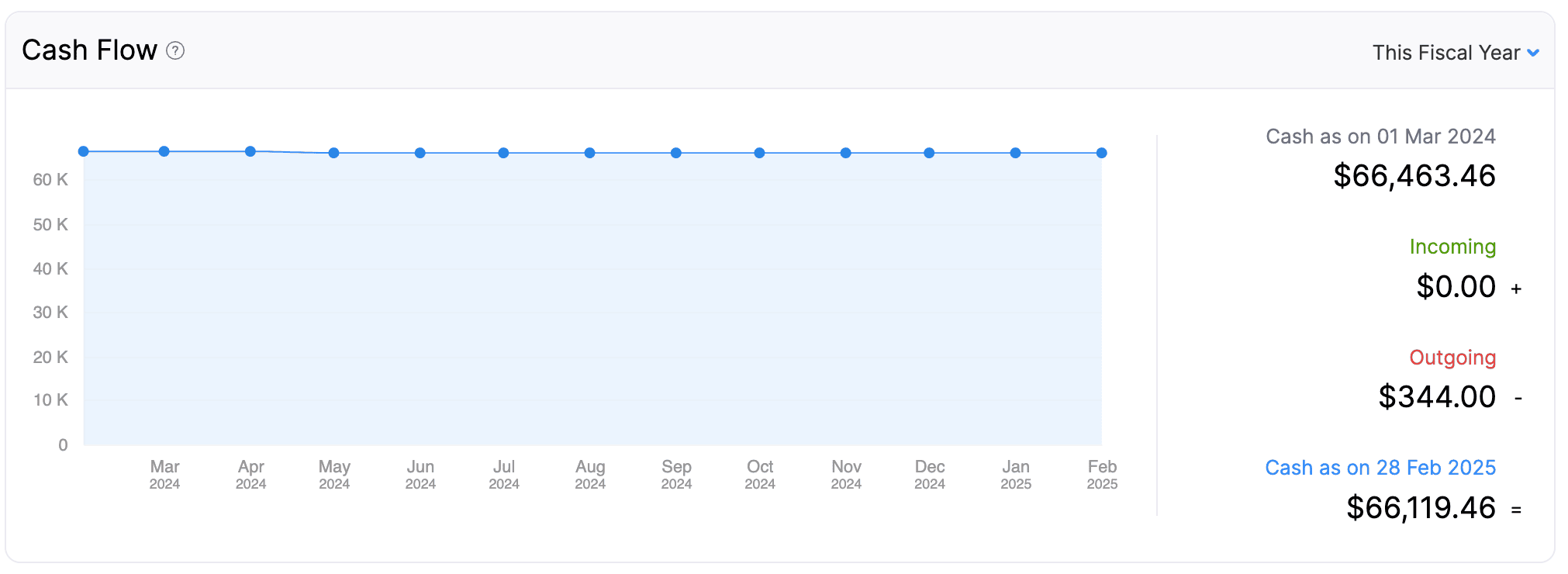
A dashboard is a starting point for investigation. If cash has fallen, inspect the receipts and payments behind it. If profit has increased but cash has not, look at unpaid customer invoices, stock purchases and the report's basis before assuming something is wrong.
Zoho supports scheduled reports and financial reporting across its plan range. Higher tiers have different allowances and capabilities. Give your adviser a short list of reports you need every month, including any department or location breakdown, and have them retrieve those exact reports during the trial.
Projects, timesheets and billable costs
Project work can connect time, expenses and invoices. Zoho's project accounting page describes estimates, retainers, recurring invoices and costs linked to a project. Check the necessary plan and whether you also intend to use the separate Zoho Projects application.
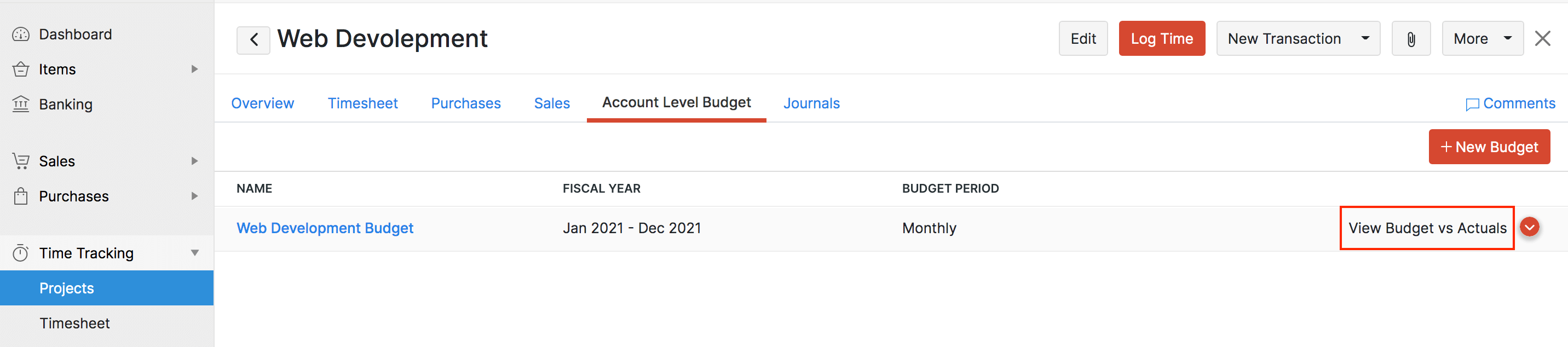
For an illustrative consultancy assignment, distinguish the hours worked from the hours billed. A fixed-fee job can consume more hours than expected even though every invoice is paid. Record the time and direct costs consistently if you want the project report to expose that difference.
A retainer also needs a clear accounting treatment. Receiving money in advance and earning it through completed work are not automatically the same event. Ask your adviser to check the setup rather than using whichever button makes the balance disappear.
Inventory and connections to other Zoho apps
Zoho Books has item and stock features across paid plans, while Zoho Inventory is a separate product with its own scope. Do not assume that having Books means every warehouse or fulfilment feature is included. Test your required purchasing, stock adjustment and return process, then identify any additional subscription needed.
The same applies to CRM connections. Decide whether the customer is created in CRM or Books, what happens when their details change, and which system raises the invoice. Include a duplicate customer and a cancelled order in your integration test. A successful first sync says little about how errors and corrections will be handled.
Automation should follow a documented process. A reminder rule is relatively easy to inspect; a rule that creates financial transactions needs tighter controls and someone responsible for reviewing failures. The small-business overview lists connections, but the exact integration deserves its own trial.
Australian GST, BAS and payroll
Zoho Books generates Australian BAS reports from recorded tax information. Its tax-report documentation describes reviewing figures, cash/accrual settings and a BAS list with a filed status. A status recorded inside the software is not, on its own, proof that the ATO has accepted a lodgement. Establish who submits the BAS and where the acceptance record is kept.
Do not assume that a Zoho Payroll feature advertised for another country supplies Australian payroll. This comparison treats Australian payroll as an integration decision that must be confirmed separately. Ask for the actual payroll product, STP process, supported integration and charges in writing.
If you employ people, review the complete accounting-plus-payroll setup before selecting Books on price. The monthly fee matters less if payroll journals require substantial manual correction or the adviser cannot retrieve the records needed.
Key takeaways
- Free has revenue and invoice limits; trial features do not all remain available on Free.
- Separate Books features from other Zoho subscriptions and integrations.
- Confirm the Australian payroll and BAS submission process, not just the availability of reports.
Where to get help
Use Zoho vs QuickBooks for a focused comparison, or the 11-product selector for other pairings. Take the migration checklist to the adviser who will review opening balances, unpaid records and retained history.
Did this guide help you finish your task?
Optional feedback helps us see which guides need more work.
Feedback is off while site analytics is unavailable or disabled.
We report your choice and this guide’s page through site analytics. Your analytics preference applies. About feedback and privacy.
Where to go from here
Zoho Books vs QuickBooks Australia: Free Limits and Paid Plans
Compare the practical tradeoffs against another product on your shortlist.
3 min readXero vs Zoho Books Australia: Pricing, Payroll and Integrations
Compare the practical tradeoffs against another product on your shortlist.
3 min readAccounting Software Trial Checklist: Test Before You Buy
Test the workflow with your own requirements before buying.
3 min read
General information only. This guide doesn't take your personal or business circumstances into account and isn't financial, legal or tax advice. Rates and thresholds change — check the official sources linked in this guide and get qualified advice where your circumstances require it.