MYOB AccountRight: Desktop, Browser, Stock and Payroll
AccountRight is the MYOB product to investigate when bookkeeping has to follow stock, purchasing, employee pay and the cost of individual jobs. It combines an installed Windows application with browser access. Those two interfaces can work on the same online company file, but they do not offer identical features.
That distinction is easy to miss. Opening your AccountRight file in a browser is not the same as moving to MYOB Business Lite or Pro. The first changes how you access your existing books; the second changes the product you use. Our MYOB product comparison explains the purchasing decision. This guide follows the work inside AccountRight.
The three things to identify before you start
Check your plan, application and company file. "We use MYOB online" is not enough information to establish what a colleague can do.
| What to identify | Why it matters |
|---|---|
| AccountRight Plus or Premier | Premier adds capabilities such as multicurrency and multiple inventory locations. |
| Windows application or browser | Some operations need the desktop application; some reporting and document workflows are better supported in the browser. |
| The actual online company file | Staff must be working on the same business, not a restored archive or another entity with a similar name. |
MYOB's Plus product page covers invoicing, expenses, inventory, employees and jobs. Premier is the tier to inspect for more complex currency and location needs. The standard Plus price recorded in our 9 September comparison is $165 a month; request a current quote covering the plan, payroll and any additional company files or services.
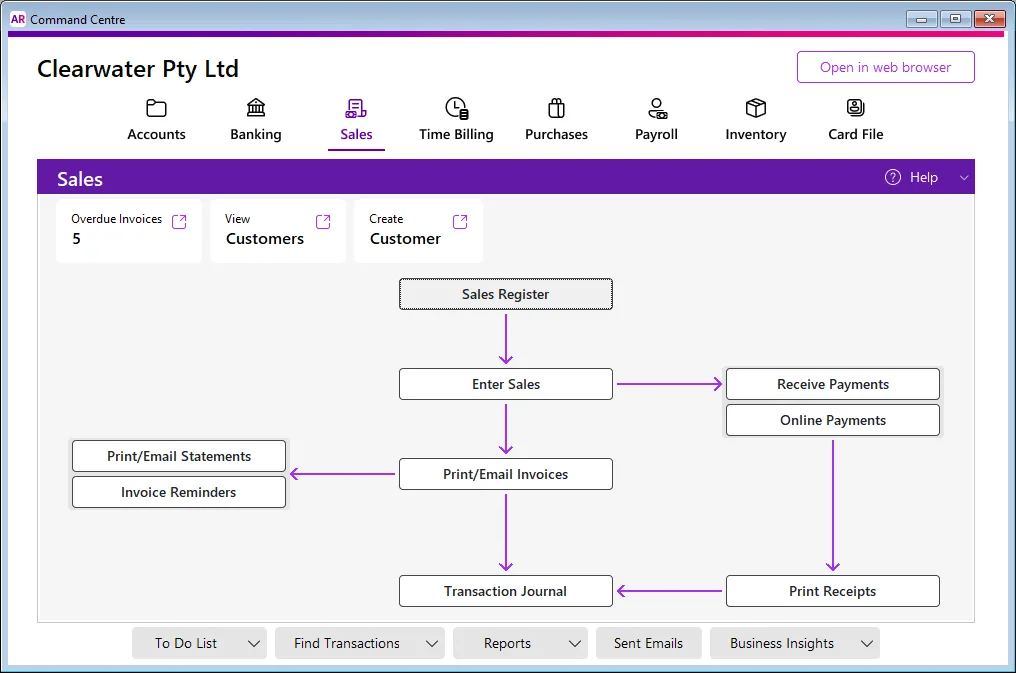
Desktop and browser: one file, different ways of working
For an online AccountRight company file, MYOB says changes made through either interface are reflected in the same information. A bookkeeper can work in Windows while an owner checks that business in a browser. You do not need to export yesterday's invoices and import them into a second browser ledger each morning.
The browser has a dashboard, a left-hand navigation menu and a Create menu. The desktop uses command centres and windows. Categories in the browser correspond to accounts in the desktop terminology. Familiarise yourself with the labels before assuming an account or function has disappeared.
The browser works on devices including Macs and tablets. It does not turn the Windows application into a native Mac app. A Mac-only business still needs a practical arrangement for any desktop-dependent work, including creating a new AccountRight company file. See MYOB's browser access instructions.
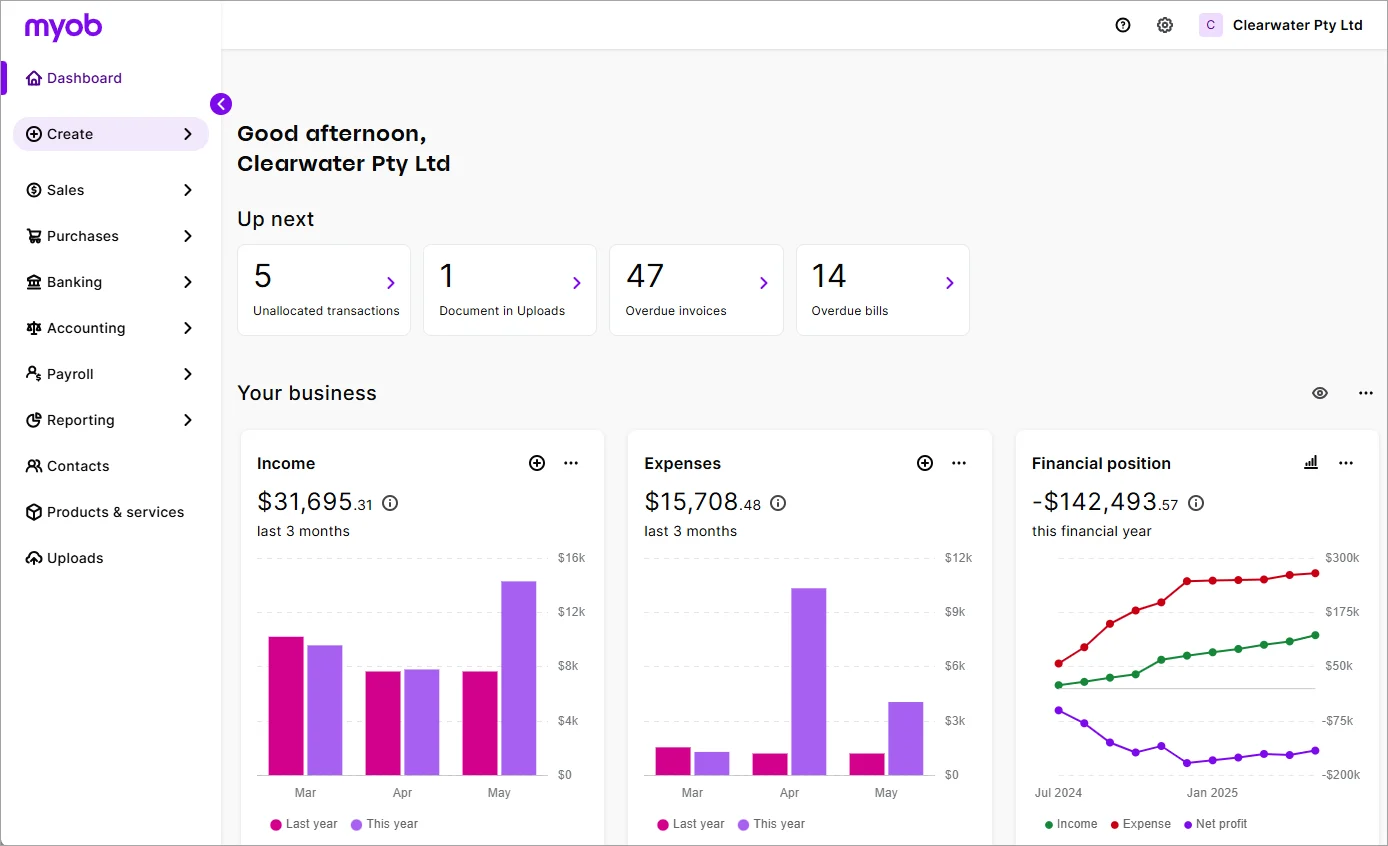
What belongs in each interface
This is a task map, not a promise that every entitlement belongs to every AccountRight plan. It follows MYOB's desktop and browser feature comparison, checked for this update.
| Task | Windows desktop | Browser |
|---|---|---|
| Purchase orders, sales orders and recurring transactions | Available | Available |
| Supplier ABA payments and remittance advice | Available | Available |
| Pay runs, STP and employee ABA payments | Available | Available |
| Time billing and Professional/Miscellaneous/Time Billing layouts | Available | Not supported |
| Multicurrency transactions and cost centres | Desktop, subject to plan | Not supported |
| Multiple inventory locations | Desktop, subject to plan | Not supported |
| Sending and receiving eInvoices | Use the browser | Available |
| Split view of an uploaded document and its transaction | Use the browser | Available |
| Report packs and the browser's expanded reporting | Use the browser | Available |
For example, a wholesaler might use the desktop for a foreign-currency purchase and stock allocation, then the browser for a director's monthly report pack. A service business using time billing should test that workflow in Windows before deciding that staff can work entirely from tablets.
What changed about working offline in 2026
An installed program is not necessarily an offline program. MYOB announced that, from 17 June 2026, its AccountRight PC edition would work with company files stored online. Its notice identifies version 2026.5 as the change affecting local and network-library files.
The Windows application continues; the change concerns where the company file is held. Do not buy a current subscription expecting a standalone file you can keep editing during an internet outage. Older versions, Server Edition and existing perpetual licences have separate support and access questions. Do not generalise an old forum answer to your current installation. Read the MYOB announcement and ask support to confirm your exact edition and version before upgrading an offline installation.
For an existing business, make an inventory of live files and archives first. Record the version that opens each file, the licence involved and how you will retrieve old reports. Then test that process. A backup you have never successfully opened is a poor basis for cancelling an old service.
Sales, bills and bank reconciliation
The sales workflow can start with a quote or sales order, continue to an invoice, and finish with payment and reconciliation. Recurring invoices and reminders reduce repeated entry, but payment services carry their own terms and charges. A paid status should reflect an actual receipt, not a mistaken match to another customer's deposit.
On the purchasing side, preserve the difference between ordering goods and owing a supplier. A purchase order is a request; the supplier bill records the amount owed. Paying the bill settles that liability. If the bank feed subsequently suggests creating another expense for that payment, check whether it should instead match the bill payment already recorded.
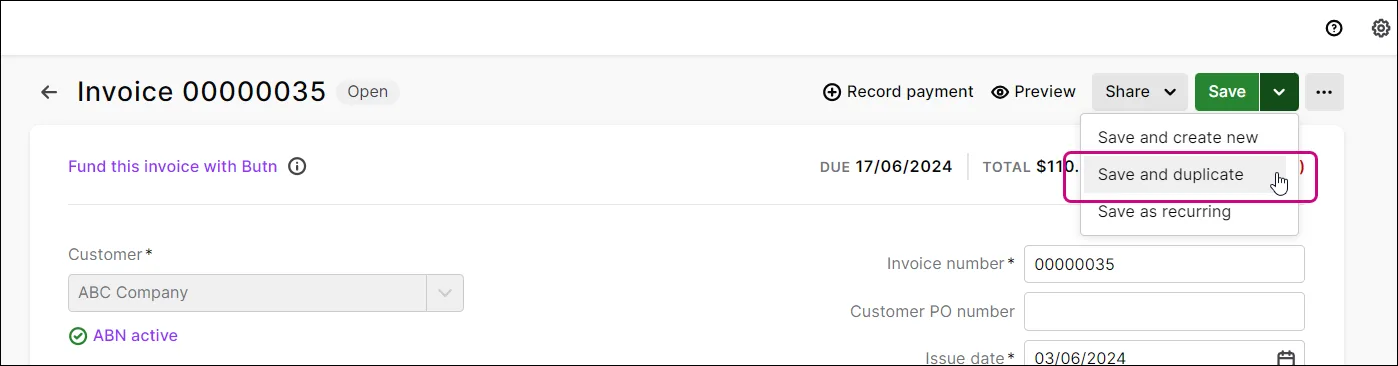
Use a realistic trial: enter a supplier bill, pay part of it, and check both the amount still owing and the bank reconciliation. Next enter a supplier credit. This exposes more of the workflow than creating a perfect, fully paid invoice in a demonstration.
Inventory: quantities are only half the job
AccountRight can follow stock through purchases and sales, report what is on hand and help identify what needs reordering. Its desktop inventory also addresses requirements such as building an item from components, backorders and pricing levels. The browser's simpler stock workflow should not be substituted for those operations without checking the documented limits.
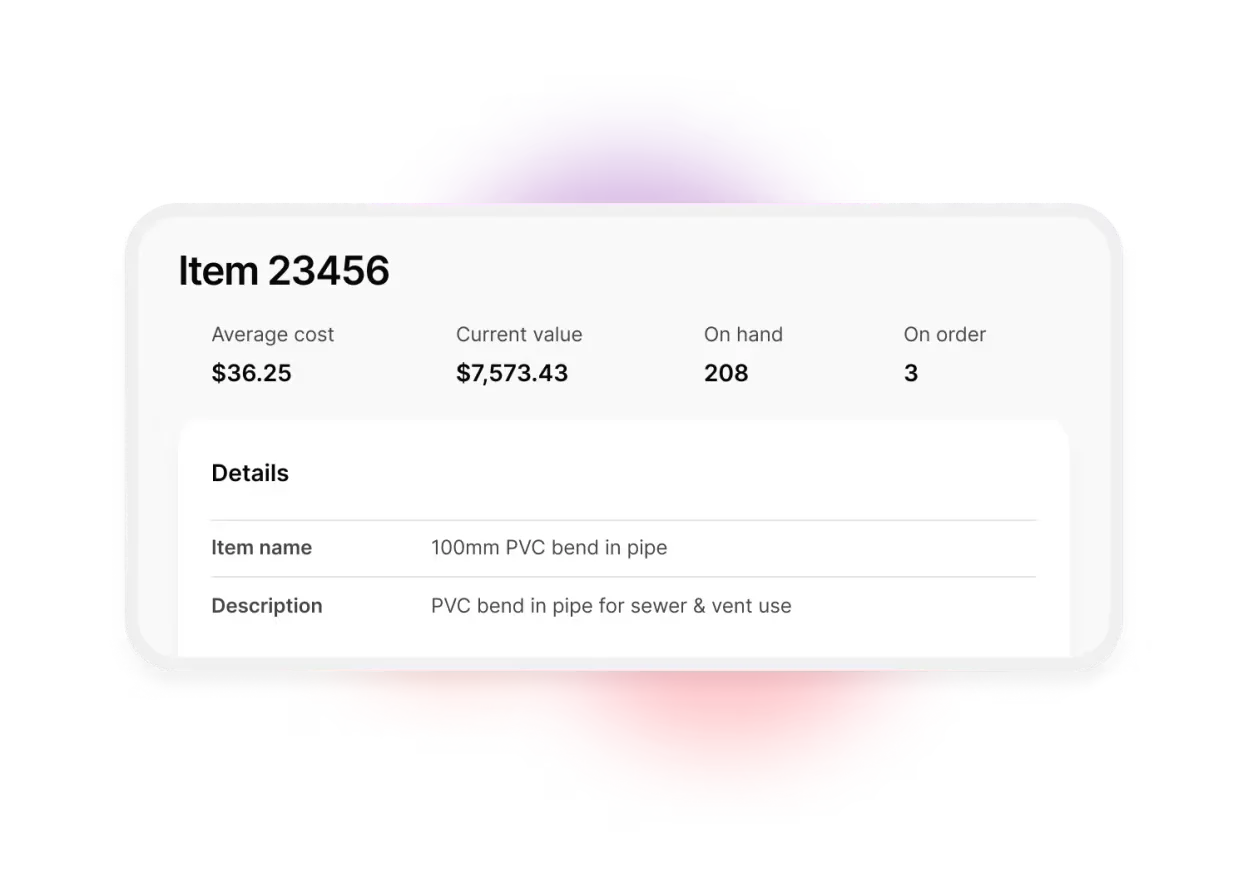
Suppose you order ten pumps, receive six, sell two and return one damaged unit to the supplier. Your trial should explain the remaining purchase order, stock quantity, inventory value and supplier balance at every step. This is an illustrative test scenario, not a claim that we processed it in a live customer file.
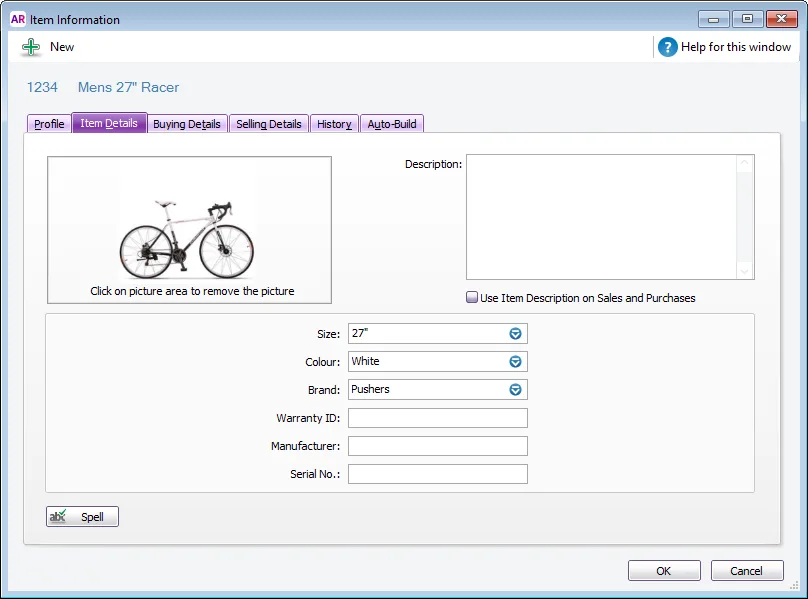
MYOB's inventory comparison distinguishes simple stock-on-hand sales from operations such as receiving inventory before a supplier bill arrives. Its browser inventory guide explains when desktop work remains necessary. Pair that information with our inventory trial checklist, particularly if your business assembles products or uses more than one stock location.
Jobs and time billing
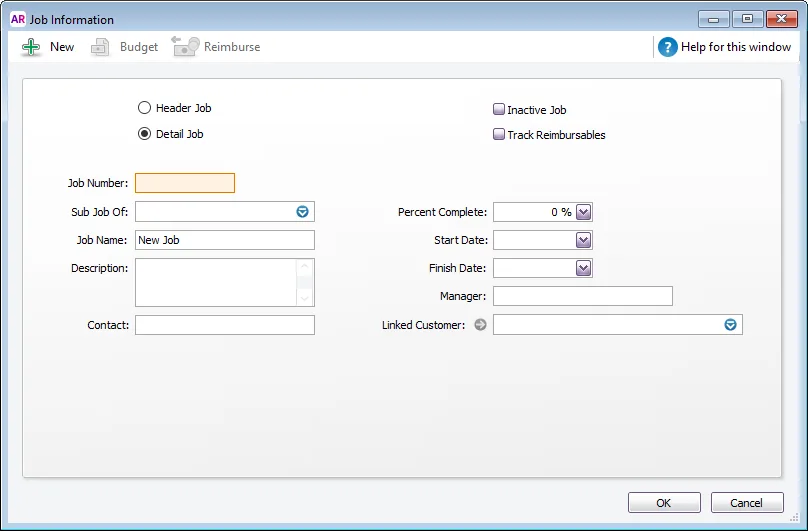
Job reporting is useful when you need to separate the income and direct costs of installations, contracts or other pieces of work. It is different from merely giving an invoice a reference number. Decide which purchases, labour and other costs should belong to the job, then check how they reach its report.
Time billing is also different from employee payroll timesheets. One helps determine what to charge a customer; the other supplies information for wages. A business can need both. The desktop-only time-billing distinction is particularly relevant to professional services considering a browser-only routine.
Try a job with a deposit, a materials purchase, employee time and a final invoice. Ask your adviser to explain whether its margin report includes all the costs you intended. The software cannot infer your costing policy from a job name.
Payroll and the monthly reporting routine
AccountRight Plus and Premier include Australian payroll capabilities. The documented workflow covers employee records, pay runs, leave, superannuation and Single Touch Payroll. Access to payroll should be assigned deliberately: someone who raises customer invoices does not automatically need employee pay information. MYOB's payroll overview describes the product's payroll functions.
During setup or migration, check year-to-date amounts, employee identifiers, leave balances and the way STP reporting continues from the previous system. A completed pay run and an accepted reporting submission are different things to verify. If employees use MYOB Team, test the timesheet approval process before the first real pay day.
The browser deserves a separate reporting trial. MYOB documents comparisons across financial years, budgeting tools, report packs and consolidated financial reports for multiple MYOB businesses. These features are a reason to use the browser even when desktop processing remains part of the week. See AccountRight browser reporting.
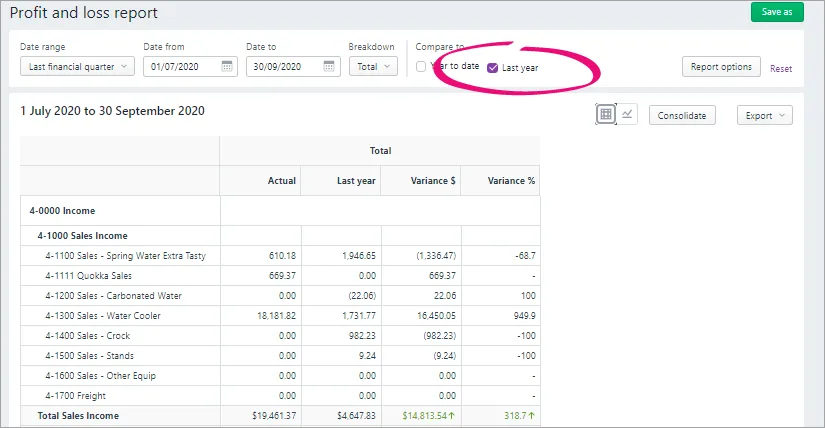
Check report settings before comparing results: business, date range, cash or accrual basis, included accounts and filters. If two reports disagree, investigate those settings and the underlying entries before treating the difference as a software fault.
Who should put it on the shortlist?
AccountRight warrants a demonstration when stock handling, job costs, time billing or established desktop processes justify a fuller accounting system. Premier deserves attention when foreign-currency transactions or multiple stock locations are requirements rather than possibilities.
A sole operator sending a handful of service invoices may prefer a smaller product. A Mac-only team that needs desktop-specific inventory should price the complete working arrangement, not just the subscription. Compare MYOB Business Lite and Pro or use the 11-product comparison tool.
Key takeaways
- Browser and desktop can access the same online AccountRight file, with different feature coverage.
- Current PC-edition planning must account for MYOB's 2026 online-file requirement.
- Demonstrate stock, time billing, payroll and reporting on the actual plan and devices you will use.
Where to get help
Ask MYOB or an adviser familiar with AccountRight to demonstrate your difficult transactions, identify desktop-dependent tasks and confirm the archive-access plan. Use our migration checklist to put the conversion scope in writing before cancelling an existing service.
Did this guide help you finish your task?
Optional feedback helps us see which guides need more work.
Feedback is off while site analytics is unavailable or disabled.
We report your choice and this guide’s page through site analytics. Your analytics preference applies. About feedback and privacy.
Where to go from here
MYOB Online vs Desktop: Business and AccountRight Explained
Compare the practical tradeoffs against another product on your shortlist.
10 min readAccounting Software Trial Checklist: Test Before You Buy
Test the workflow with your own requirements before buying.
3 min readSwitch Accounting Software: An Australian Business Checklist
Plan the records and checks needed for a live migration.
4 min read
General information only. This guide doesn't take your personal or business circumstances into account and isn't financial, legal or tax advice. Rates and thresholds change — check the official sources linked in this guide and get qualified advice where your circumstances require it.