Reckon One Australia: Accounting, Payroll and Features
Reckon One is browser-based accounting for invoices, expenses, banking and reports, with payroll chosen separately. It is worth including in a small-business shortlist where the ongoing cost and access for several users matter. Reckon Accounts and Reckon Accounts Hosted are different products; a feature shown in one should not be assumed to exist in Reckon One.
Older articles describe a pick-and-mix module model. The current Australian offer uses named accounting and payroll plans. Start with the current plan page and the tasks you need, rather than reconstructing a subscription from an old tutorial.
Accounting plans and the complete monthly cost
Reckon's published standard monthly prices checked on 12 September 2026 are $24 for Accounting Plus and $46 for Accounting Premium. Both offer unlimited users. Promotional and annual prices are separate options, and the checkout quote should make the tax basis clear.
Accounting Plus covers the central bookkeeping functions. Premium adds capabilities around timesheets and project management. The current plan comparison also shows inventory-related limits; ask the vendor to confirm the relevant tier and active-item allowance for your stock list. Do not infer unlimited stock capability from the unlimited-user wording.
| Payroll plan | Employee allowance | Standard monthly price |
|---|---|---|
| Payroll Essentials | Up to 4 | $16 |
| Payroll Plus | Up to 10 | $32 |
| Payroll Premium | Unlimited | $60 |
These are payroll charges in addition to the accounting choice. A $24 accounting plan plus $16 payroll is a $40 base monthly combination before other services or billing differences. That arithmetic is a comparison example, not a personalised quote. Confirm the current payroll plan before relying on it.
Invoices, payments and what customers still owe
Reckon One creates invoices, supports recurring billing and provides payment reminders. The purpose is to maintain a customer balance you can explain, not simply to generate a professional-looking PDF. A quote, issued invoice, payment and credit each represent a different stage of the relationship.
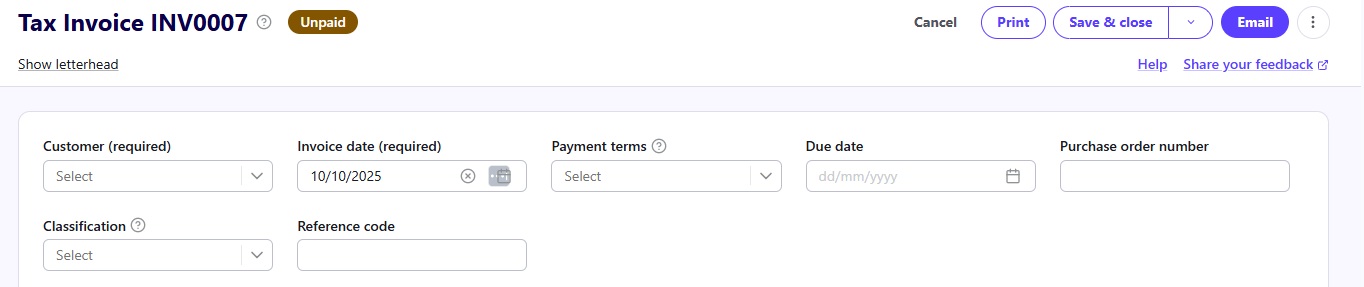
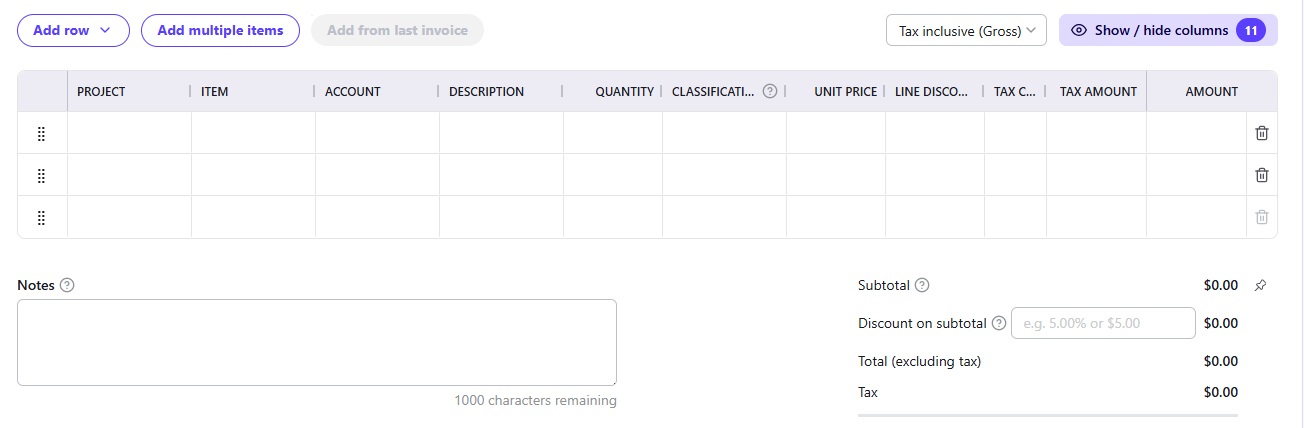
Use the invoice list to identify unpaid work and check the transaction details before following up. If a customer has paid a deposit, the balance should show that payment once. If the work changes, use the appropriate correction process rather than creating an unrelated negative entry that makes the report harder to understand.
Reckon's accounting overview describes invoicing, payment options and mobile access. Payment processing has its own charges and conditions. Test the net amount arriving in the bank when fees have been withheld from a customer payment.
Bank feeds and reconciliation
Connecting a bank account brings transaction data into the system. Reconciliation checks how that activity relates to the invoices, bills and other records already entered. The point is to avoid both missing transactions and duplicate ones.
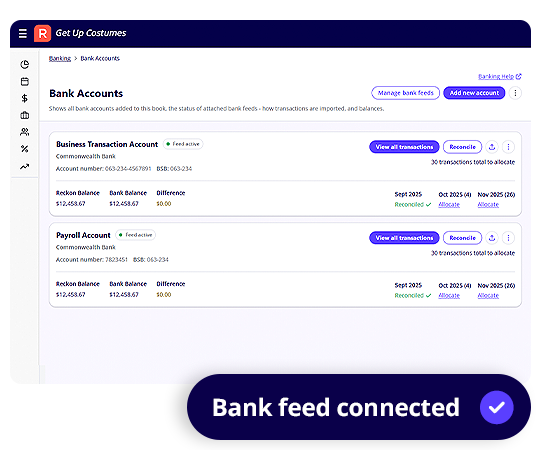
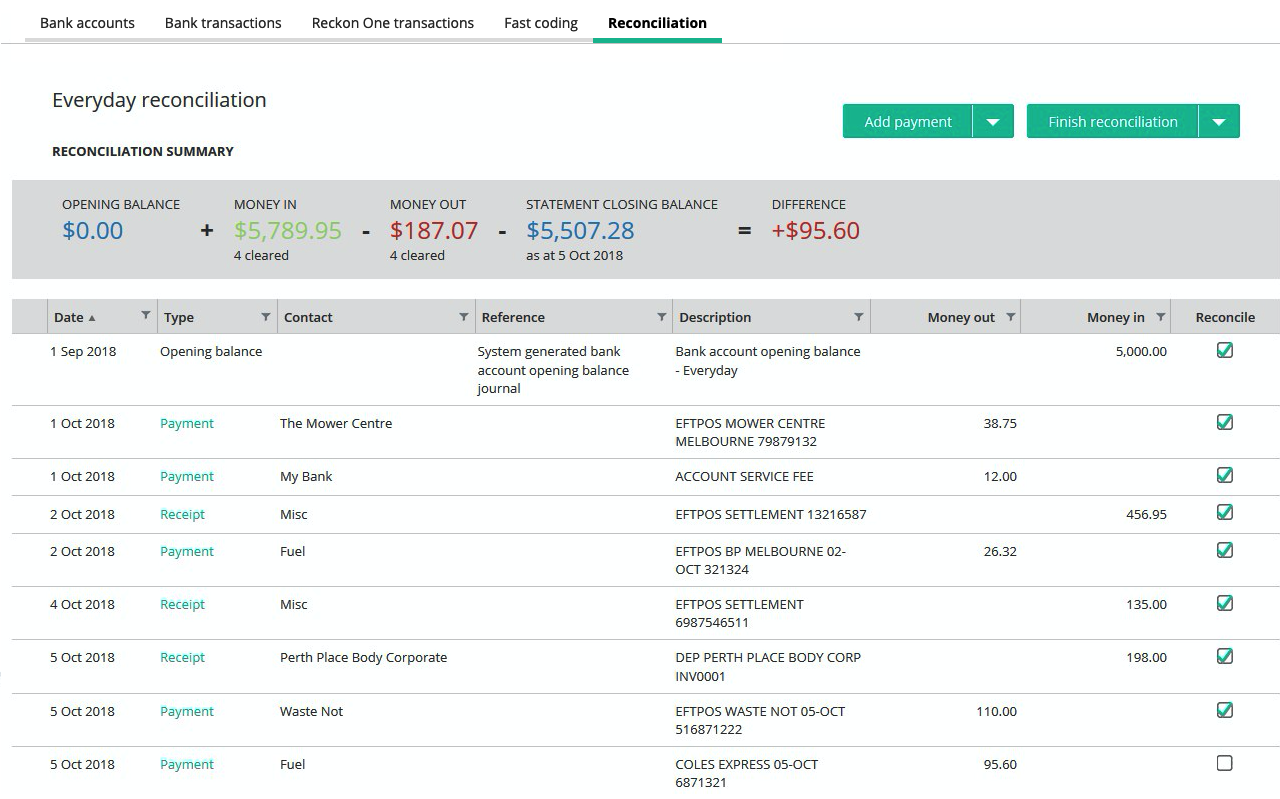
A useful test includes a transfer between your own accounts and a supplier payment already recorded against a bill. Neither should become a new sales or expense transaction merely because it appears in the feed. Check that your actual bank and account type are supported, then reconcile a complete statement period.
If a feed stops, agree who notices and what happens next. Importing a replacement statement without checking dates can overlap the previously received transactions. Our bank-feed guide sets out those questions.
Expenses and job costs
Record spending against the right supplier, account and job where applicable. The supporting document should explain the amount and the tax treatment. A bank description alone may not tell the reviewer what was bought.
Reckon's expense tools and project tracking help organise those records. Projects are useful when a business wants to separate the income and costs of individual pieces of work. Timesheets provide another input, but only if staff record time consistently and the right costs reach the job.
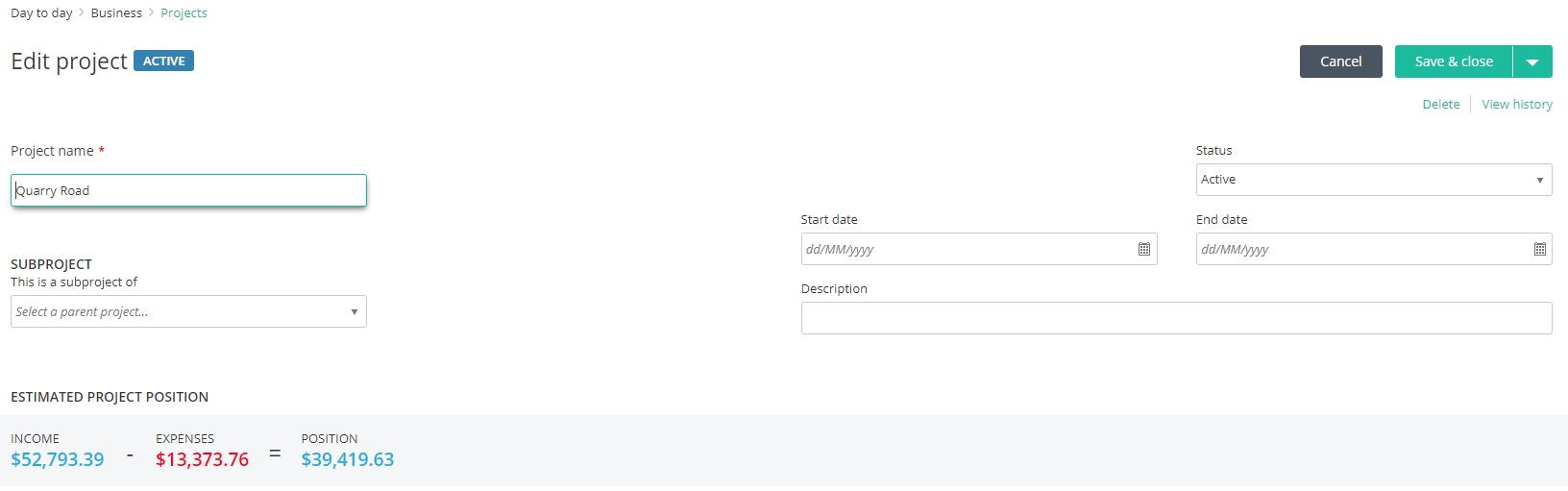
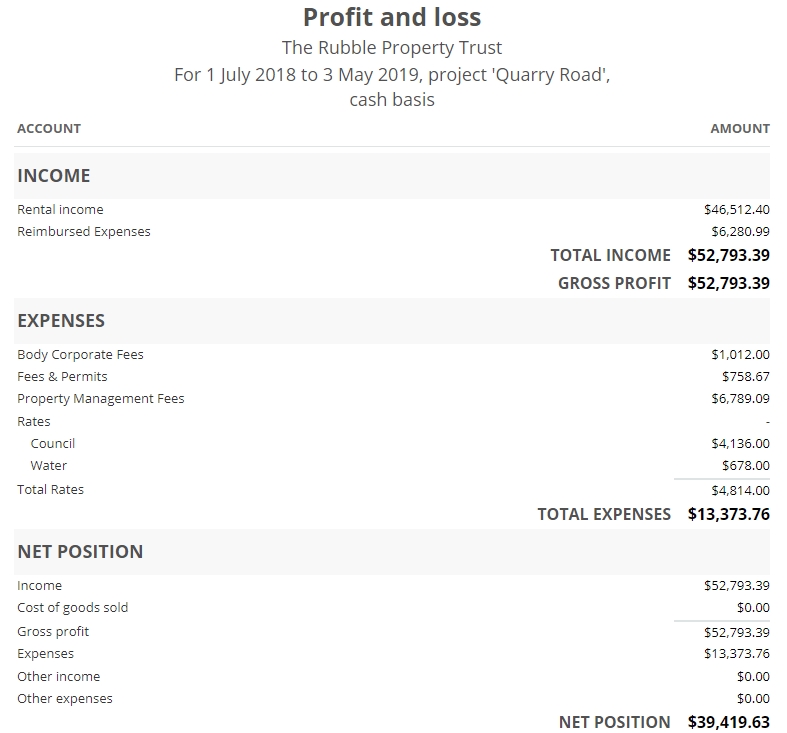
Imagine an illustrative maintenance contract with a monthly invoice, replacement parts and several call-outs. Comparing the invoice with parts alone could make it look more profitable than it is. Check how labour and other agreed costs enter the report before using its margin to price the next contract.
Payroll: review the process, not just headcount
Reckon's Australian payroll offering includes pay runs, leave, superannuation-related functions and Single Touch Payroll reporting. Higher payroll tiers have different employee and expense capabilities. Choose the payroll plan independently of the accounting plan.
Test the employee setup, ordinary earnings, leave and any allowances or overtime that apply to the business. Someone should review pay settings and the reporting result. Running a pay, lodging payroll information and transferring money to employees are related tasks, but each needs confirmation.
If staff enter their own time, check access and approval. Reckon's timesheet overview describes that workflow. A timesheet being submitted is not the same as a manager having approved it for payment or billing.
GST and BAS: confirm the submission route
Reckon One tracks GST and produces BAS figures. Its current GST/BAS page uses direct-lodgement language in places, while its detailed FAQ also describes preparing a report for submission through the ATO or an agent and marking it lodged afterwards.
Because those descriptions are not fully consistent, have the vendor demonstrate the exact submission route available to your subscription. Do not treat a saved report or a manually changed status as an ATO acceptance. This guide confirms the preparation workflow and leaves any direct connection to be demonstrated for the proposed setup.
Check a GST-free transaction, a taxable purchase and a correction in the trial. Ask the person preparing the BAS to explain the report totals and how they deal with prior-period changes. The software cannot resolve an incorrect tax decision simply by calculating it consistently.
Reports, users and changing systems
Reckon One includes financial reports and budgeting tools. A useful monthly routine connects bank reconciliation, customer debts, supplier balances and profit reporting. The report should help you identify a question to investigate, such as why receivables have increased or why cash is tight despite a profitable month.
Unlimited users is useful for collaboration, but each person still needs appropriate permissions. The employee who sends invoices may not need payroll access. Agree who owns the subscription and who maintains the records when an adviser changes.
Reckon's advertised free migration has a defined historical-data scope. The current offer describes one historical year plus year-to-date, rather than promising every year of every record. Request a conversion list covering attachments, balances, payroll and older archives. Compare that with our migration checklist.
Key takeaways
- Use current named plans; older module-pricing explanations may no longer fit.
- Add payroll and any stock/project requirements to the accounting quote.
- Confirm how BAS submission and data migration work for your actual subscription.
Where to get help
Trial the product with the person who will reconcile and review it. Xero vs Reckon One provides a focused comparison, and the software selector covers the other products in this range.
Did this guide help you finish your task?
Optional feedback helps us see which guides need more work.
Feedback is off while site analytics is unavailable or disabled.
We report your choice and this guide’s page through site analytics. Your analytics preference applies. About feedback and privacy.
Where to go from here
Xero vs Reckon One: Cost, Payroll and Bookkeeping Compared
Compare the practical tradeoffs against another product on your shortlist.
3 min readMYOB Business vs Reckon One: Which Setup Fits Your Business?
Compare the practical tradeoffs against another product on your shortlist.
3 min readAccounting Software Trial Checklist: Test Before You Buy
Test the workflow with your own requirements before buying.
3 min read
General information only. This guide doesn't take your personal or business circumstances into account and isn't financial, legal or tax advice. Rates and thresholds change — check the official sources linked in this guide and get qualified advice where your circumstances require it.