Xero Australia: Features, Plans and Everyday Bookkeeping
Xero is cloud accounting software that brings invoices, supplier bills, bank reconciliation, payroll, GST and BAS into one shared file for you and your adviser. In Australia it sells eight plans, from Ignite at $37 a month to Ultra at $500, and every plan includes payroll for a set number of people (prices including GST, checked 18 October 2026).
Its appeal is that the owner and adviser can work on the same books without emailing an updated file back and forth. The important decision is which Australian plan covers the work you actually do.
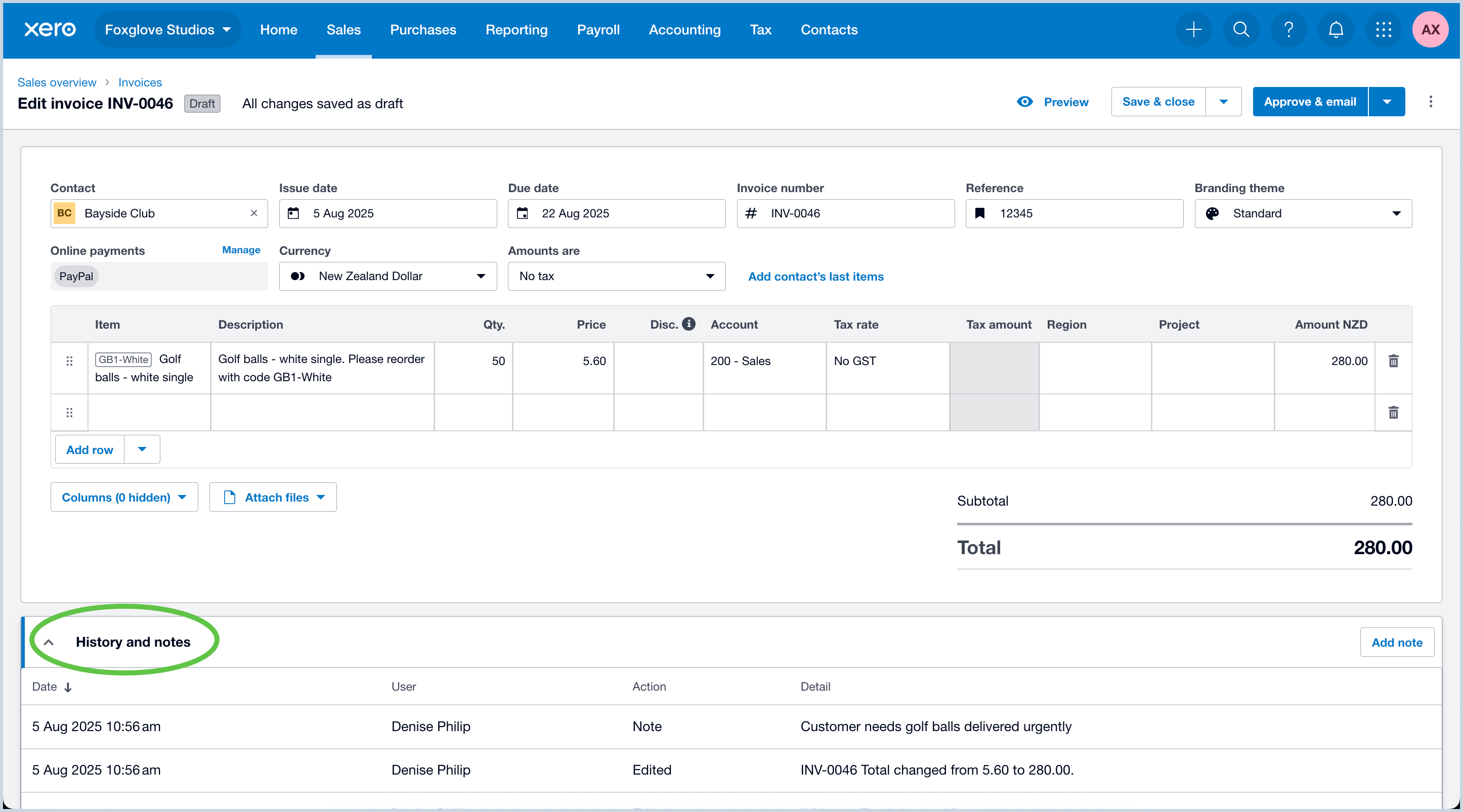
A useful way to assess Xero is to follow a week's transactions: invoice a customer, record a supplier bill, match the payments, pay employees and inspect the reports. The screens below show parts of that workflow. They are vendor illustrations, not evidence that we tested a live business or achieved a particular result.
Which Australian plan covers your business?
Xero sells eight business plans in Australia. Standard monthly prices checked on Xero's Australian pages on 18 October 2026 are below, including GST.
| Plan | Standard monthly price | First 3 months (80% off) | People you can pay | Main decision points |
|---|---|---|---|---|
| Ignite | $37 | $7.40 | 1 | Quotes, 20 invoices and 5 bills a month; 30-day cash flow forecast. Check whether the limits fit an ordinary busy month. |
| Grow | $78 | $15.60 | 2 | Unlimited invoices and bills; 1 expense-claim user; auto-reconcile included; 60-day forecast. |
| Comprehensive | $107 | $21.40 | 5 | Multi-currency, 5 expense users, 3 budgets, financial health scorecards and a 90-day forecast. |
| Ultimate 10 | $143 | $28.60 | 10 | Projects for 10 users, 10 expense users, KPIs, industry benchmarks and a 180-day forecast. |
| Ultimate 20 | $180 | $36.00 | 20 | As Ultimate 10, with payroll for 20. |
| Ultimate 50 | $250 | $50.00 | 50 | As Ultimate 10, with payroll for 50. |
| Ultimate 100 | $300 | $60.00 | 100, then $2 each to 200 | As Ultimate 10, with payroll for 100. |
| Ultra | $500 | $100.00 | 10, then $2 each to 200 | Multi-entity consolidation, forecasting and budgeting with Syft Advanced, priority support and targeted data restore. |
Source: Xero AU pricing pages, checked 18 October 2026. The 80% offer is for new customers buying their first organisation and applies to the base plan only. Xero bills monthly only and asks for one month's notice to cancel.
Our Xero pricing guide has the full feature table, add-on charges, the July 2026 price rise, year-one costs and a plan-picker. The simpler-business plan comparison explains Ignite's limits and optional charges, and the main plan comparison covers higher tiers.
An ordinary user login, a payroll employee and an expense or project user are different allowances. Xero does not charge a licence fee for each ordinary accounting user, but that does not make every add-on or usage charge free: extra expense users cost $5 a month, extra project users $7 a month and online bill payments beyond the allowance $0.35 each.
If you send 30 invoices in a typical month, comparing only Ignite's price misses the plan you need. Equally, a five-person payroll does not automatically require every feature in Ultimate. Use the actual headcount, bill volume and currencies in your quote.
Quotes, invoices and getting paid
You can prepare a quote, convert agreed work into an invoice and follow what remains unpaid. Invoice templates carry your business details and payment terms. Reminders help with follow-up, while connected payment services give customers additional ways to pay. On Ignite, Xero counts approved and sent invoices towards the 20-a-month limit, including invoices created by connected apps such as an online store.
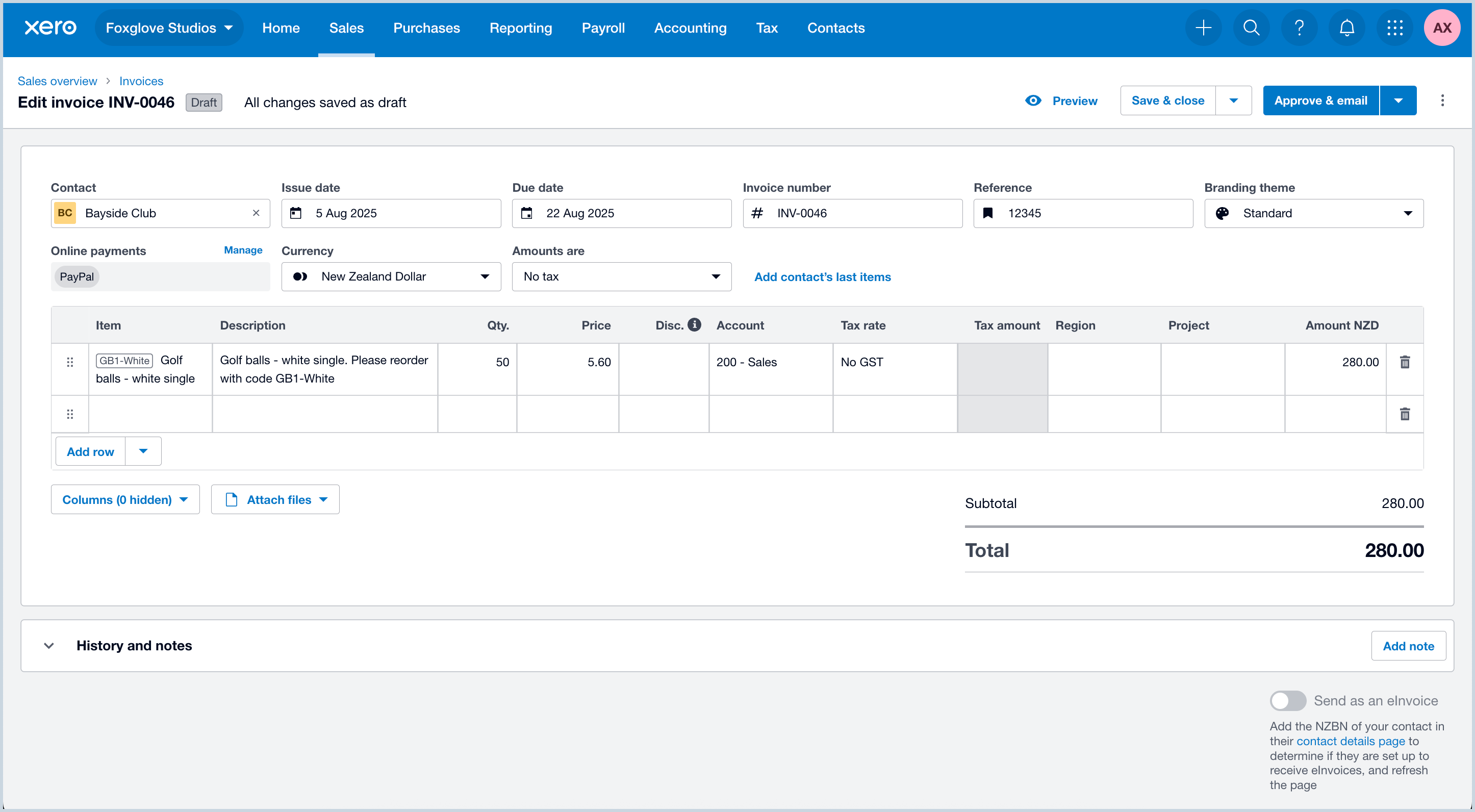
The unpaid invoice list is a working queue: which invoices are overdue, which customers have part-paid, and which amounts need a credit or correction? It is more useful than a single revenue total when deciding whom to contact this afternoon. Check a disputed invoice before letting an automated reminder send the wrong message.
Xero's invoicing overview describes the billing and payment workflow. Payment-provider fees are separate from the accounting subscription. For a card payment, compare the invoice amount, processing fee and net bank deposit. They are three related figures, not three separate sales.
Bank feeds, matching and reconciliation
A bank feed imports statement lines. Reconciliation links those lines to the transactions in your books, or creates an appropriate record when one does not already exist. That distinction prevents a common mistake: recording a supplier bill, paying it, then adding a second expense when the payment appears in the feed.
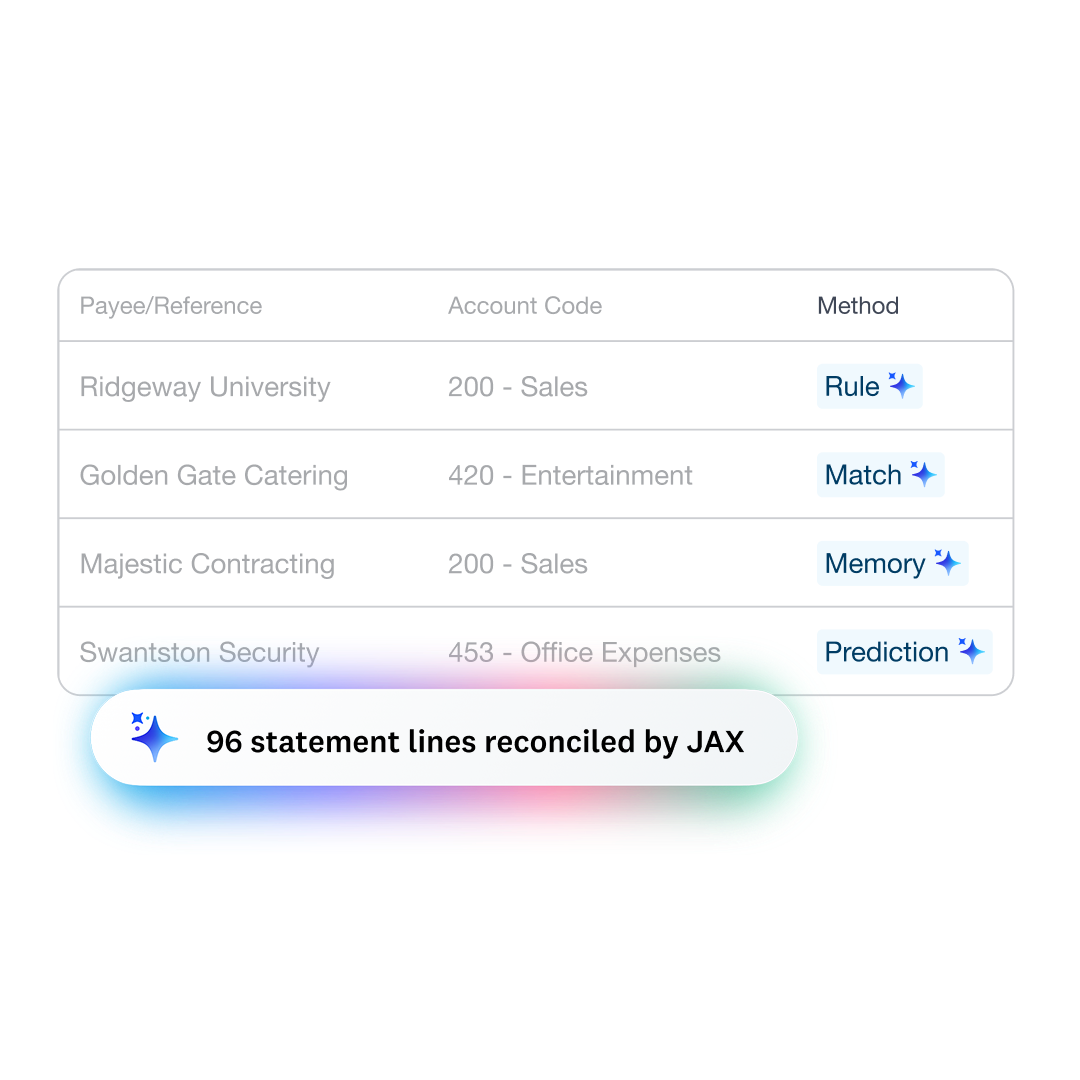
Xero's AI assistant, JAX, can automatically categorise and match high-confidence bank transactions. Auto-reconcile is included from Grow upwards and is an optional $8 a month add-on on Ignite (as at 18 October 2026). Read the bank reconciliation explanation alongside the plan table rather than assuming that every feature carrying an AI label is included in the cheapest subscription.
During a trial, include a transfer between your own accounts, a refund and a customer payment covering two invoices. Those are better tests than a statement containing only neat, one-to-one matches. Check that the reconciled balance agrees with the actual bank statement; an empty queue alone does not establish that. Our bank feeds guide covers what to test.
Bills, receipts and expense claims
Supplier bills let you record what is owed before it is paid. Ignite allows 5 bills a month; Grow and above are unlimited. Expenses record spending, while smart document capture, included in every plan, helps attach the supporting document. Employee expense and mileage claims start at Grow, with 1 user on Grow, 5 on Comprehensive and 10 on the Ultimate plans, and $5 a month for each extra user. Decide which of these your business needs before counting everything as "expenses" in a feature comparison.
Xero's feature directory includes bill management, document capture and expense tools. Capture reduces typing, but the extracted supplier, date, amount and tax treatment still need checking. A blurred receipt or credit note can produce a plausible-looking result that needs correction.
For staff claims, decide who can submit, who approves and how reimbursement is recorded. Paying a reimbursement out of the bank is the final movement of money; it should not create a duplicate claim or expense. Online bill payments are included up to 5, 10 or 15 a month on Grow, Comprehensive and Ultimate, then cost $0.35 each.
Australian payroll, GST and BAS
Payroll allowances are part of Xero's Australian plan structure, and there is no separate payroll subscription. Every plan includes Single Touch Payroll and automated super, which matters under the payday super rules that began on 1 July 2026. Establish how many people you will pay in a calendar month, which payroll features are required and what happens when you exceed the included headcount: below Ultimate 100 you move up a plan, so a third person on Grow means Comprehensive (+$29 a month). Staff records, pay settings and opening balances need the same care as the accounting setup.
Xero does not list automated award interpretation or rostering in its plans. If your team is on awards with penalty rates, compare the options in our payroll software comparison and rostering software guide.
Xero advertises GST tracking and BAS lodgement on every plan. That is useful functionality, but it does not decide whether a particular purchase is claimable or whether a transaction has the right GST treatment. Reconcile and review the underlying books before lodging. Keep the distinction between a prepared report and an accepted submission visible in your process. Our GST and BAS guide and Single Touch Payroll guide cover the rules.
For a business changing payroll systems, ask the adviser to specify how year-to-date pay, leave and reporting identifiers will be handled. Avoid using a live lodgement as a trial. The setup checklist covers the records to gather before opening balances are entered.
Projects, time and profitability
Xero Projects connects recorded time and costs to jobs, with quoting, invoicing and profitability views. It is included on the Ultimate plans and Ultra, not on Ignite, Grow or Comprehensive. Ultimate plans cover 10 project users, with $7 a month for each extra user. It can help a consultant, installer or other service business identify work that consumes more time than the quote allowed. Xero's project overview explains that relationship.
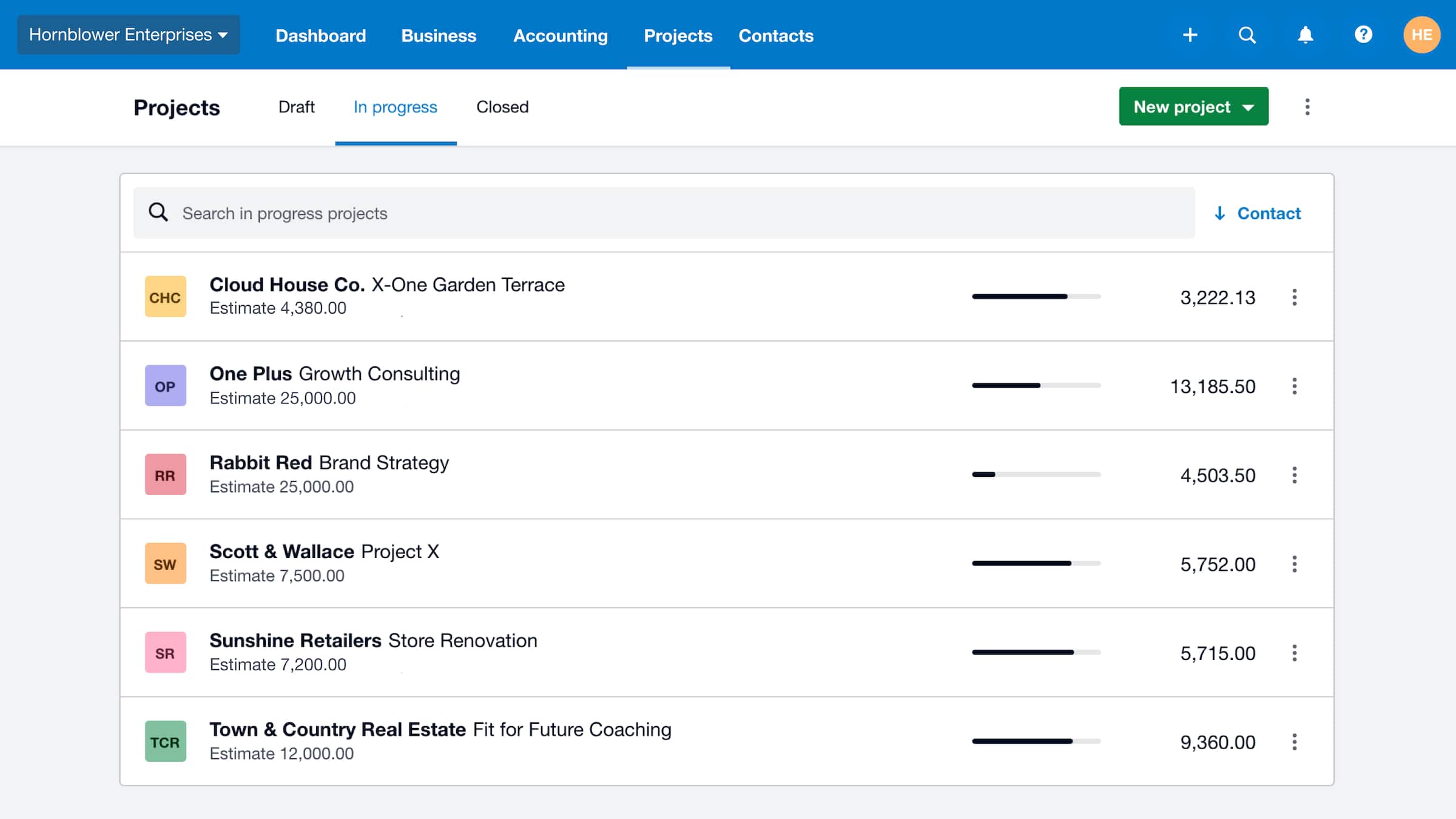
Consider an illustrative design job billed for a fixed fee. The customer invoice might look healthy while extra revisions consume unpaid hours. Recording that time against the project makes the problem visible. The report is only useful if the team actually records the time and assigns the relevant costs.
Do not confuse employee payroll timesheets with project billing. Ask how the two fit your workflow and whether the required users are included in your subscription. Xero says moving down from an Ultimate plan removes Xero Projects, so export project reports before downgrading. Our full-cost guide helps put those extras beside the base plan.
Inventory, currencies and other systems
Xero lists inventory and purchase orders among the features in every plan. Its inventory tools maintain item information, track stock and support purchasing and sales records. For a small range of goods this may cover much of the accounting work. A warehouse, manufacturing operation or shop with complex fulfilment needs should demonstrate its requirements explicitly rather than assuming that "inventory" covers every stock process.
Test receiving a part delivery, returning damaged stock and correcting a quantity. Ask which actions happen in Xero and which require a connected inventory or retail application. In an integrated setup, decide which system owns the item list and creates the sales transaction. Otherwise two well-intended automations can record the same sale twice. Our inventory checklist gives a demonstration sequence.
Multicurrency starts at Comprehensive ($107 a month). If you trade internationally, test the invoice currency, payment conversion, fees and exchange difference. A foreign-currency symbol on an invoice template is not a substitute for the required accounting workflow. Xero says moving down from Comprehensive archives foreign-currency bank accounts. For the banking side, see international payments for business.
Reports, access and the handover to your adviser
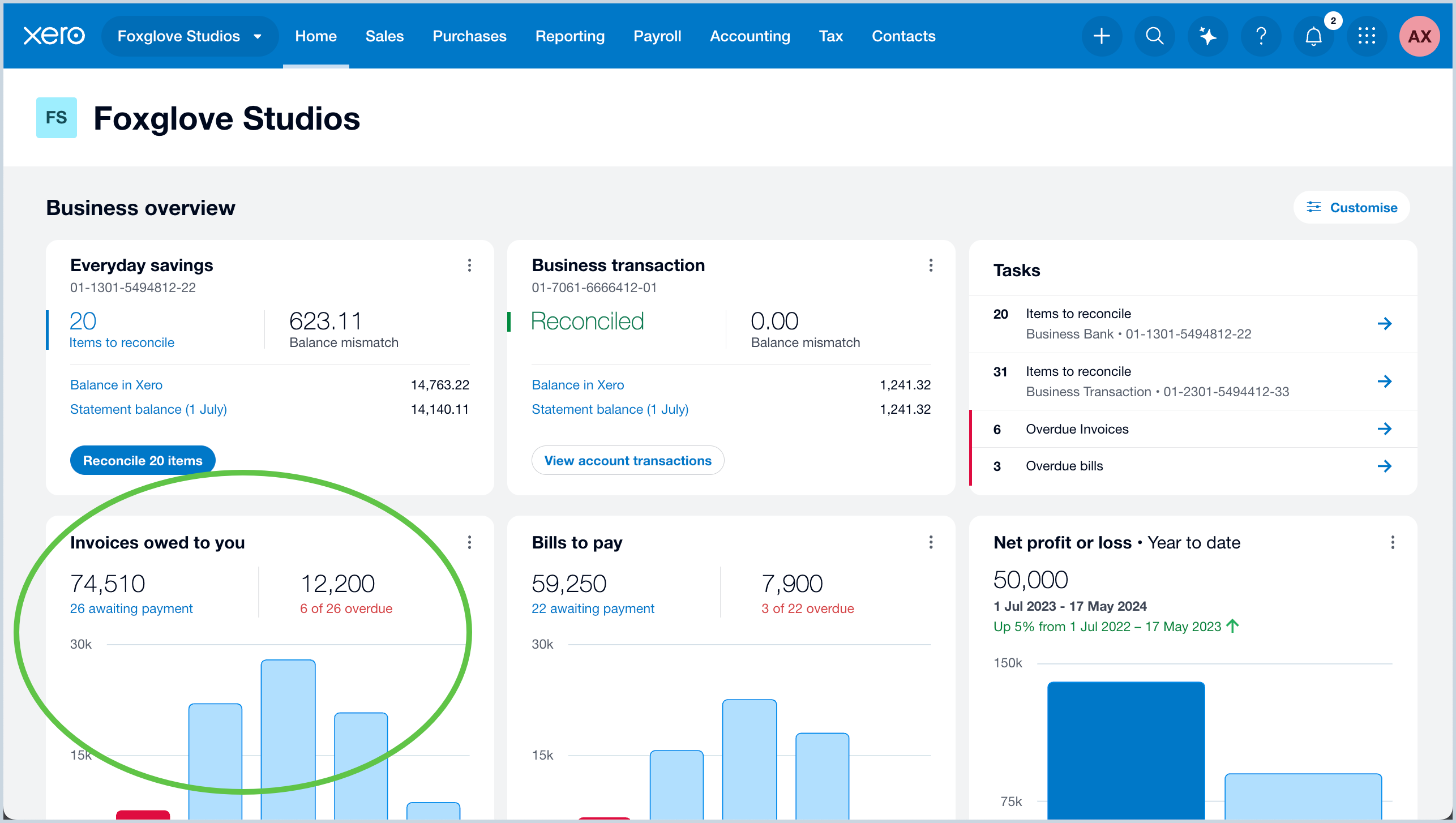
Reports help connect sales, expenses, debts and cash. A profit and loss report answers a different question from the bank balance: an unpaid invoice can affect reported income before cash arrives, depending on the reporting basis. Ask your adviser to trace one figure back to the entries that produced it. Cash flow forecasting runs 30 days on Ignite, 60 on Grow, 90 on Comprehensive and 180 on Ultimate; KPIs and industry benchmarks start at Ultimate 10, and Ultra adds multi-entity consolidation through Syft.
Invite people through their own accounts and assign appropriate access. Agree who can change settings, approve work and make corrections. When choosing an adviser, ask whether their service includes reconciliation, payroll review and month-end reports; software access does not define the engagement.
Before migrating, specify the history, unpaid invoices, supplier balances, attachments and records you need to retain. Test an export and agree how you will access the previous system. Moving balances is not necessarily the same as moving every historical document. The switching checklist covers the cutover.
Key takeaways
- Xero sells eight Australian plans, from Ignite at $37 a month to Ultra at $500, including GST (as at 18 October 2026).
- Every plan includes payroll, capped by people paid; below Ultimate 100 you move up a plan to pay more people.
- Choose the plan around invoices, bills, employees, currencies and specialist users: multi-currency starts at Comprehensive and projects at Ultimate.
- Use bank automation with a review process, especially for transfers, refunds and grouped payments.
- Test inventory and project requirements with your own representative transactions.
Where to get help
- Xero: pricing plans and Xero Central for support, plan changes and cancellation.
- Pricing and alternatives: our Xero pricing guide, Xero vs MYOB, Xero vs QuickBooks and Xero alternatives. If the business mainly sells one person's time, Xero vs Rounded is a useful narrower comparison.
- Learning Xero: Xero courses in Australia, including Xero's free training.
- Trial and compare: start with a repeatable software trial, then compare Xero with another candidate in the accounting software tool.
- Your bookkeeper or BAS agent: see how to choose a BAS agent.
Related tasks
Browse more accounting software guides.
Did this guide help you finish your task?
Optional feedback helps us see which guides need more work.
Feedback is off while site analytics is unavailable or disabled.
We report your choice and this guide’s page through site analytics. Your analytics preference applies. About feedback and privacy.
Where to go from here
Xero vs QuickBooks Australia: Payroll, Plans and Practical Fit
Compare the practical tradeoffs against another product on your shortlist.
3 min readXero vs Reckon One: Cost, Payroll and Bookkeeping Compared
Compare the practical tradeoffs against another product on your shortlist.
3 min readAccounting Software Trial Checklist: Test Before You Buy
Test the workflow with your own requirements before buying.
3 min read
Frequently asked questions
How many plans does Xero have in Australia?
Eight business plans as at 18 October 2026: Ignite ($37 a month), Grow ($78), Comprehensive ($107), Ultimate 10 ($143), Ultimate 20 ($180), Ultimate 50 ($250), Ultimate 100 ($300) and Ultra ($500), all including GST. Ultimate 100 and Ultra sit under the complex-business tab of Xero's pricing page. Xero also has Ledger and Cashbook plans, but those are only sold through accounting and bookkeeping practices.
Does Xero include payroll?
Yes. Every Xero business plan includes payroll, Single Touch Payroll and automated super, capped by the number of people paid each month: 1 on Ignite, 2 on Grow, 5 on Comprehensive and 10, 20, 50 or 100 on the Ultimate plans. Ultimate 100 charges $2 per extra person up to 200, and Ultra includes 10 people then $2 per extra person up to 200.
Which Xero plan includes projects?
Project time and cost tracking is included on the four Ultimate plans and Ultra, as at 18 October 2026. Ultimate plans include 10 project users, with each extra user costing $7 a month. Ignite, Grow and Comprehensive do not include Xero Projects, and Xero says downgrading from Ultimate removes it.
Does Xero do multi-currency?
Yes, from the Comprehensive plan at $107 a month including GST, and on every Ultimate plan and Ultra. Ignite and Grow are AUD only. If you only occasionally receive a foreign payment, ask your bookkeeper whether converting it outside Xero is acceptable before paying $29 a month more than Grow.
Can I use Xero for inventory?
Xero lists inventory and purchase orders among the features in every plan, which covers item records, stock tracking and buying and selling for a small range of goods. Warehousing, manufacturing or complex fulfilment usually needs a connected inventory app. Test receiving a part delivery, a return and a stock adjustment before relying on it.
General information only. This guide doesn't take your personal or business circumstances into account and isn't financial, legal or tax advice. Rates and thresholds change — check the official sources linked in this guide and get qualified advice where your circumstances require it.